Experiential learning Website Template


Four mission points create a reusable education section
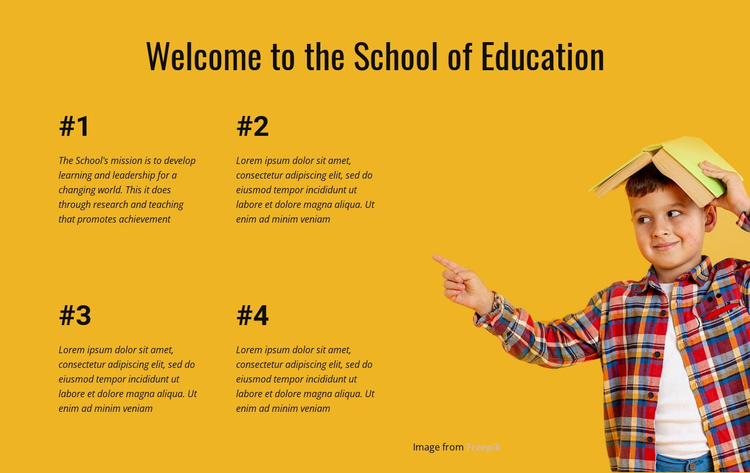
The heading “Welcome to the School of Education” gives this block a defined content role that can be reused within a broader website project. Four numbered text units support the heading from the left in two rows and two columns, allowing several related educational points to appear together without becoming one long paragraph. The statement about developing learning and leadership for a changing world supplies the central mission direction, while the reference to research and teaching adds another dimension to the school’s educational purpose.
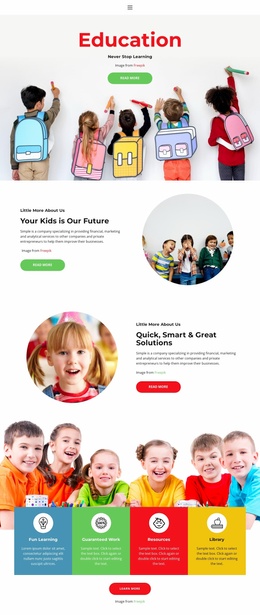
A large child photograph occupies the right side as a separate visual region. This image-and-text relationship gives the section a stable pattern that can be coordinated with other site areas, such as program information, institutional background, or contact content, without requiring this block to carry those functions itself. The golden-yellow background, black condensed typography, italic body text, and generous spacing also provide visual cues that can be echoed in related sections when a consistent project direction is needed.
Within a broader Website Template project, the block works best as a focused mission or features section rather than as a complete site structure. Its four-point content model is easy to recognize and reuse, while the prominent image prevents the educational message from reading like a plain list. Other pages and blocks can supply navigation, detailed offerings, admissions information, or contact paths around this self-contained section.
Customize with Nicepage
Open this ready-made template in the Website Template Builder and customize it visually in the Nicepage editor. Replace demo content, edit page sections, and adapt the design to your project without rebuilding the template from scratch.
Edit Template Offline
2. Create a new page or select existing
3. Click Add new block, search for id 67930 and click enter
Edit Template Online
Create Awesome Websites


Free Nicepage Builder
Keywords
Use This Block in a Broader Website Template Project
Treat the Block as One Reusable Site Section
A website project is assembled from multiple pages and sections. The analyzed block provides one reusable content area—such as services, About, testimonials, pricing, gallery, team, or contact—while the rest of the site supplies other page-level functions.
Coordinate the Section With Other Pages
Use the Pages panel to manage the pages of the broader project. The block can remain one consistent section pattern while related pages add deeper information or different content without implying that the Block ID itself contains those pages.
Expand With Matching Designs
When additional pages or sections are needed, Page Design Sets can help locate matching Page and Block Designs. This can extend the visual direction around the existing block while keeping the site's other content areas separate.
This workflow treats the block as a reusable building unit inside a larger Website Template project, not as a complete website foundation on its own.