Minimalist Home Decor Furniture Website Template


Edit Template Offline
2. Create new page and search for id 6667771
Edit Template Online
Create Awesome Websites


Free Nicepage Builder
Keywords
Categories, Products, and Lifestyle Content Establish a Retail Foundation
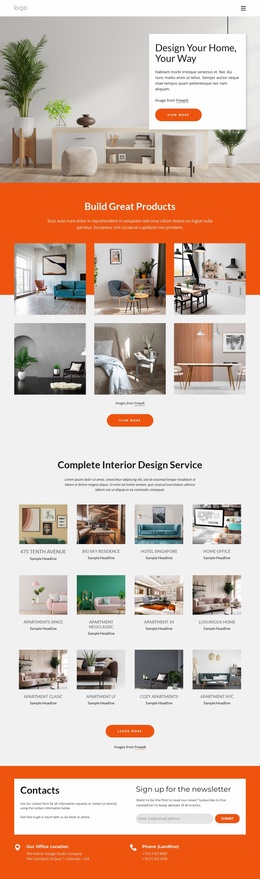
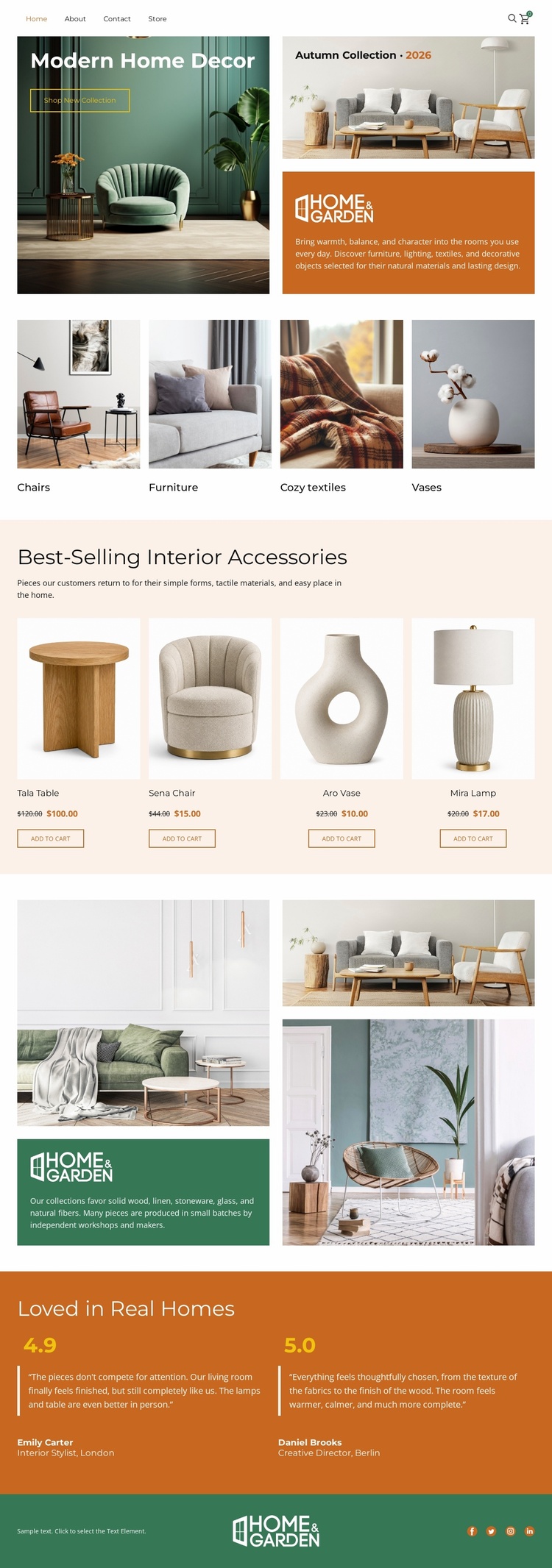
The page already defines several major content areas that can serve as the foundation for a broader home furnishings website. The hero introduces the retail direction through a large interior photograph and Shop Now action, while the four category tiles organize the subject into Chairs, Furniture, Cozy textiles, and Vases. That category structure gives future site content clear thematic starting points rather than leaving expansion to a single undifferentiated product grid.
The four featured cards add a repeatable product presentation for the Teak Table, Sena Chair, Ava Vase, and Mila Lamp, with each card separating imagery, naming, price space, and purchase action. The Home & Garden split section contributes a lifestyle or brand-story area, and the two testimonial blocks provide a place for customer-oriented proof. Navigation and the social footer complete the visible project frame. These regions could support additional category, product, editorial, or support pages as a project grows, but the analysis confirms one analyzed page rather than a prebuilt multi-page set. Its website-template value therefore comes from the information architecture already suggested by the design: browse by decor type, inspect featured items, understand the lifestyle context, and encounter customer reassurance within one coordinated visual direction.
Customize with Nicepage
Open this ready-made template in the Website Template Builder and customize it visually in the Nicepage editor. Replace demo content, edit page sections, and adapt the design to your project without rebuilding the template from scratch.
Build a Complete Website From This Template
Customize the Website Visually
Use this ready-made website template as a starting point for your project and adapt its pages visually in Nicepage. Change content, images, typography, navigation, sections, and other design elements while keeping the website together as a single editable project.
Manage Website Pages in One Project
Use the Pages panel to open, add, duplicate, and manage the pages of your website. Work on individual pages while keeping navigation and the overall site structure accessible from the same project, making it easier to develop a complete website instead of managing separate page files.
Expand the Website With Matching Designs
When you need additional pages or sections, use Page Design Sets to find Page and Block Designs created in the same visual style. Design Sets group matching designs together, making it easier to expand the website with new content while maintaining a consistent look across its pages and sections.
Organize Larger Multi-Page Websites
As the website grows, use Page Folders to organize related pages and keep larger multi-page projects easier to navigate in the editor. This is especially useful for websites with separate service pages, company information, contacts, landing pages, and other content areas.
This workflow makes the template a practical foundation for building and expanding a complete website while managing its pages, content, and visual design within one Nicepage project.