Valentines day sale Website Template


A reusable seasonal promotion within a broader site project
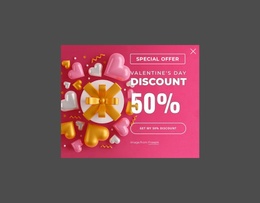
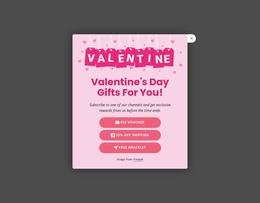
The block supplies one stable website section: a dismissible seasonal offer centered inside a rounded navy card. Its content model is compact but complete for that role, pairing the “Up to 70% Off” headline with Valentine heart artwork, the “Will You Be My Valentine” phrase, and one “Activate 70% Off” action. The close control provides the modal exit, while the dimmed backdrop marks the promotion as a layer over the surrounding page rather than another ordinary content row.
Within a broader website project, this section can coordinate with pages or blocks that carry the main brand message, product information, or regular navigation. Its seasonal styling may be used temporarily or adapted for another campaign while the underlying project continues to supply its other content areas. The centered vertical arrangement makes the promotion easy to identify as a distinct reusable pattern, and the strong contrast helps it retain attention without requiring a large collection of supporting elements.
The block should remain one contribution to the project, not the project’s foundation or complete page structure. Other sections determine where the promotion appears and what destination follows the activation action. Nicepage’s broader page and block design capabilities can help coordinate related sections, but the defining value here is the reusable combination of offer text, themed artwork, single response point, and dismissal behavior.
Customize with Nicepage
Open this ready-made template in the Website Template Builder and customize it visually in the Nicepage editor. Replace demo content, edit page sections, and adapt the design to your project without rebuilding the template from scratch.
Edit Template Offline
2. Create a new page or select existing
3. Click Add new block, search for id 6548451 and click enter
Edit Template Online
Create Awesome Websites


Free Nicepage Builder
Keywords
Build a Complete Website From This Template
Customize the Website Visually
Use this ready-made website template as a starting point for your project and adapt its pages visually in Nicepage. Change content, images, typography, navigation, sections, and other design elements while keeping the website together as a single editable project.
Manage Website Pages in One Project
Use the Pages panel to open, add, duplicate, and manage the pages of your website. Work on individual pages while keeping navigation and the overall site structure accessible from the same project, making it easier to develop a complete website instead of managing separate page files.
Expand the Website With Matching Designs
When you need additional pages or sections, use Page Design Sets to find Page and Block Designs created in the same visual style. Design Sets group matching designs together, making it easier to expand the website with new content while maintaining a consistent look across its pages and sections.
Organize Larger Multi-Page Websites
As the website grows, use Page Folders to organize related pages and keep larger multi-page projects easier to navigate in the editor. This is especially useful for websites with separate service pages, company information, contacts, landing pages, and other content areas.
This workflow makes the template a practical foundation for building and expanding a complete website while managing its pages, content, and visual design within one Nicepage project.