Live and study Website Template


A Four-Card Benefits Pattern for a Broader Site
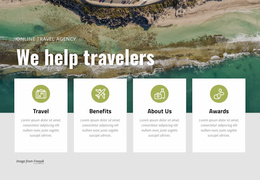
The block defines one focused content area that a larger education-oriented website could reuse or coordinate with related sections. Its four-card pattern gives the project a compact way to summarize student benefits without spreading the information across several separate layouts. Make friends introduces an international social dimension, Live & Study points to the school setting, Expert tuition emphasizes a safe learning context, and World-class identifies the learning facilities.
The visual relationship between the image and cards is central to the section’s reuse. A large photograph of children outdoors provides the background context, while the cards overlap its lower edge to create a distinct information band. Their saturated green, magenta, yellow, and red colors, circular icons, white centered typography, matching dimensions, and even vertical alignment form a recognizable treatment that could be coordinated with other education-related sections in a broader project.
As a website-template section, it is most useful for a benefits or features area rather than as a complete site structure. Other blocks can introduce the institution, explain programs, present testimonials, or provide contact information. This block contributes a self-contained combination of visual context and four concise benefit statements, allowing the wider project to maintain a clear content sequence while preserving one consistent feature pattern.
Customize with Nicepage
Open this ready-made template in the Website Template Builder and customize it visually in the Nicepage editor. Replace demo content, edit page sections, and adapt the design to your project without rebuilding the template from scratch.
Edit Template Offline
2. Create a new page or select existing
3. Click Add new block, search for id 64420 and click enter
Edit Template Online
Create Awesome Websites


Free Nicepage Builder
Keywords
Build a Complete Website From This Template
Customize the Website Visually
Use this ready-made website template as a starting point for your project and adapt its pages visually in Nicepage. Change content, images, typography, navigation, sections, and other design elements while keeping the website together as a single editable project.
Manage Website Pages in One Project
Use the Pages panel to open, add, duplicate, and manage the pages of your website. Work on individual pages while keeping navigation and the overall site structure accessible from the same project, making it easier to develop a complete website instead of managing separate page files.
Expand the Website With Matching Designs
When you need additional pages or sections, use Page Design Sets to find Page and Block Designs created in the same visual style. Design Sets group matching designs together, making it easier to expand the website with new content while maintaining a consistent look across its pages and sections.
Organize Larger Multi-Page Websites
As the website grows, use Page Folders to organize related pages and keep larger multi-page projects easier to navigate in the editor. This is especially useful for websites with separate service pages, company information, contacts, landing pages, and other content areas.
This workflow makes the template a practical foundation for building and expanding a complete website while managing its pages, content, and visual design within one Nicepage project.