It takes great people to do great work Website Template


Edit Template Offline
2. Create new page and search for id 5334380
Edit Template Online
Create Awesome Websites


Free Nicepage Builder
Keywords
Team Profiles, Recruitment, and Contact Define the Site Foundation
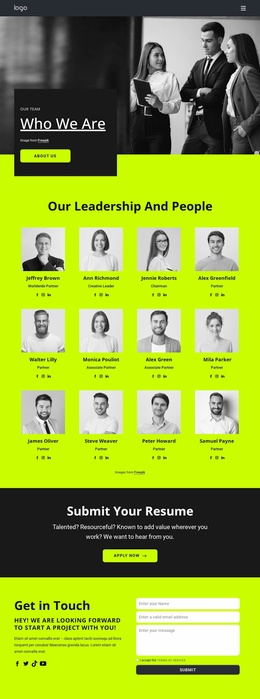
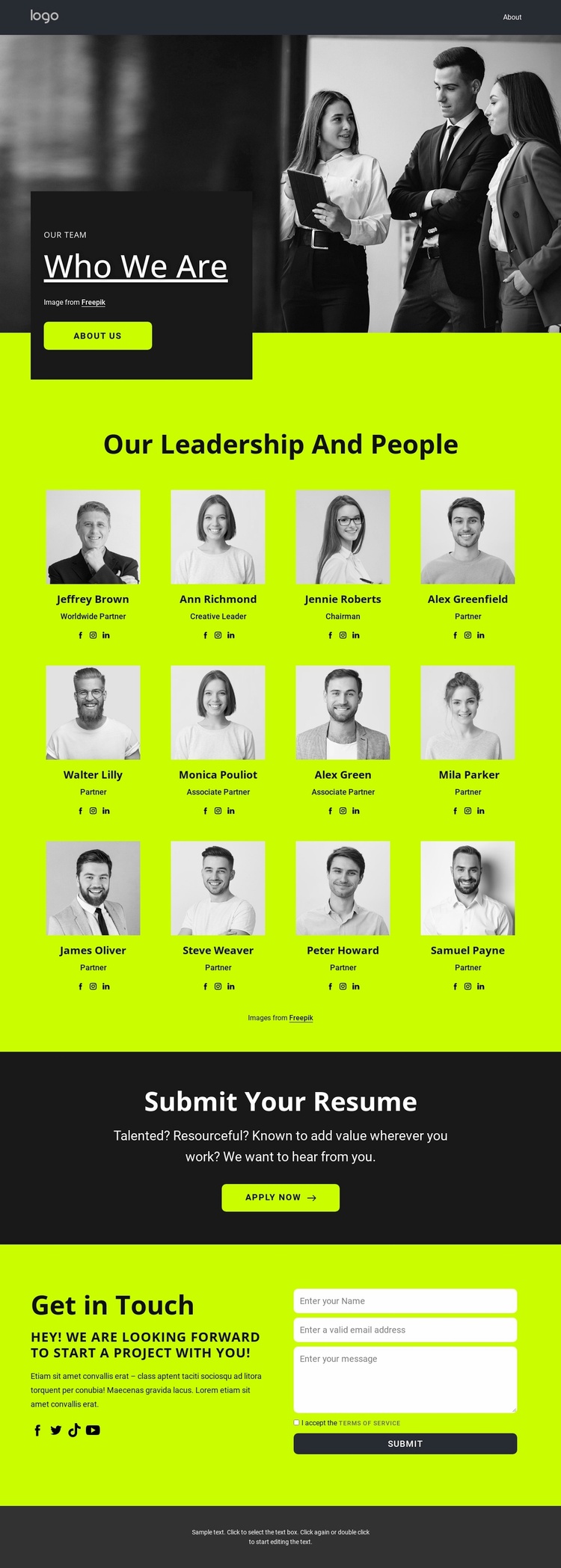
The large team image and Who We Are introduction establish an organizational starting point before the design moves into its main content area. The twelve portrait profiles then create a clear people directory, with each repeated card pairing an image, name, role label, and social links. This gives a broader website project an identifiable team section that can remain central while additional company information, service pages, or other content areas are developed around it. The About Us button also signals a natural place for visitors to reach more background about the organization.
Recruitment and general communication are separated into their own sections rather than being folded into the profile grid. Submit Your Resume presents a focused application invitation with an Apply Now button, while Get in Touch uses a two-column arrangement for introductory content, social links, a terms checkbox, and a message form. Together, these areas establish distinct content roles for people, applications, and inquiries. They provide more than a single team showcase, while the analysis confirms only this page rather than a complete multi-page site.
The neon lime, charcoal, white, and black palette, bold sans-serif typography, compact spacing, and rounded buttons give the foundation a consistent visual direction. Additional pages can use these established cues to keep recruitment and organizational content connected as the website grows, without treating the demonstrated names or sample copy as fixed company facts.
Customize with Nicepage
Open this ready-made template in the Website Template Builder and customize it visually in the Nicepage editor. Replace demo content, edit page sections, and adapt the design to your project without rebuilding the template from scratch.
Build a Complete Website From This Template
Customize the Website Visually
Use this ready-made website template as a starting point for your project and adapt its pages visually in Nicepage. Change content, images, typography, navigation, sections, and other design elements while keeping the website together as a single editable project.
Manage Website Pages in One Project
Use the Pages panel to open, add, duplicate, and manage the pages of your website. Work on individual pages while keeping navigation and the overall site structure accessible from the same project, making it easier to develop a complete website instead of managing separate page files.
Expand the Website With Matching Designs
When you need additional pages or sections, use Page Design Sets to find Page and Block Designs created in the same visual style. Design Sets group matching designs together, making it easier to expand the website with new content while maintaining a consistent look across its pages and sections.
Organize Larger Multi-Page Websites
As the website grows, use Page Folders to organize related pages and keep larger multi-page projects easier to navigate in the editor. This is especially useful for websites with separate service pages, company information, contacts, landing pages, and other content areas.
This workflow makes the template a practical foundation for building and expanding a complete website while managing its pages, content, and visual design within one Nicepage project.