Metal Profiles Factory Website Template


A Split Company Introduction With a Distinctive Industrial Image
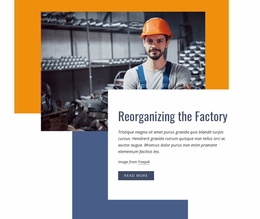
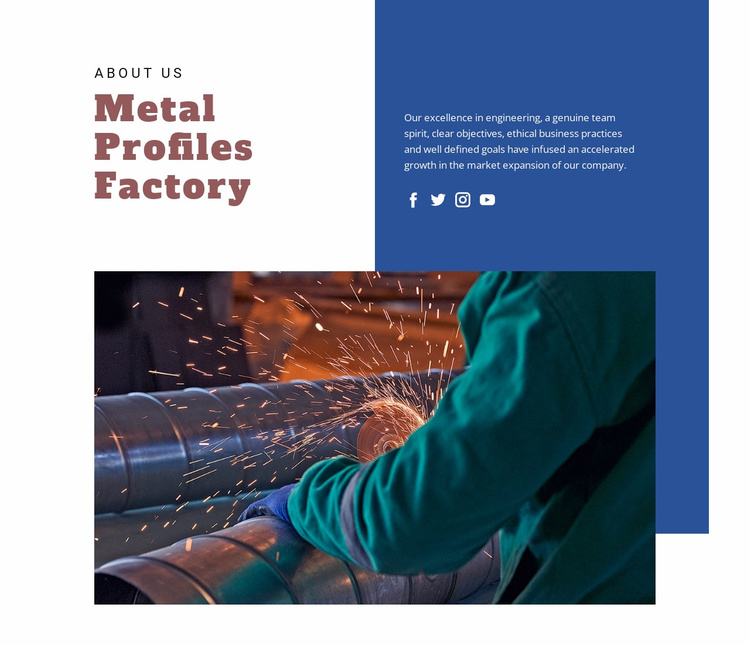
The left heading panel and right descriptive panel create a stable About Us pattern for a broader website project. “Metal Profiles Factory” identifies the company, while the adjacent paragraph develops its introduction through references to engineering, team spirit, objectives, ethical business practices, and market expansion. Four social links remain attached to this information area, giving the section a defined place for outward-facing company connections without changing its primary role as an introduction.
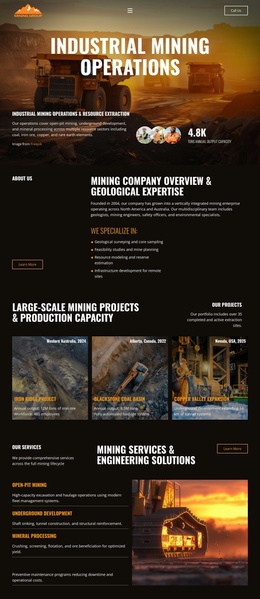
The lower half uses one wide industrial photograph rather than a collection of separate cards or a dense product grid. Sparks and cylindrical metal machinery reinforce the manufacturing context visually, while the deep blue area extending behind the image connects the upper and lower portions of the composition. White space around the large serif heading keeps the text legible and gives the photograph room to carry visual weight.
Within a broader website template or project, this block can serve as a reusable company-information section alongside other areas that handle detailed offerings, projects, contact content, or additional business information. Its value is the combination of a recognizable company statement, supporting descriptive copy, social links, and a strong manufacturing image in one coordinated section. The same pattern can be retained while related sections establish the wider site structure.
Customize with Nicepage
Open this ready-made template in the Website Template Builder and customize it visually in the Nicepage editor. Replace demo content, edit page sections, and adapt the design to your project without rebuilding the template from scratch.
Edit Template Offline
2. Create a new page or select existing
3. Click Add new block, search for id 52370 and click enter
Edit Template Online
Create Awesome Websites


Free Nicepage Builder
Keywords
Build a Complete Website From This Template
Customize the Website Visually
Use this ready-made website template as a starting point for your project and adapt its pages visually in Nicepage. Change content, images, typography, navigation, sections, and other design elements while keeping the website together as a single editable project.
Manage Website Pages in One Project
Use the Pages panel to open, add, duplicate, and manage the pages of your website. Work on individual pages while keeping navigation and the overall site structure accessible from the same project, making it easier to develop a complete website instead of managing separate page files.
Expand the Website With Matching Designs
When you need additional pages or sections, use Page Design Sets to find Page and Block Designs created in the same visual style. Design Sets group matching designs together, making it easier to expand the website with new content while maintaining a consistent look across its pages and sections.
Organize Larger Multi-Page Websites
As the website grows, use Page Folders to organize related pages and keep larger multi-page projects easier to navigate in the editor. This is especially useful for websites with separate service pages, company information, contacts, landing pages, and other content areas.
This workflow makes the template a practical foundation for building and expanding a complete website while managing its pages, content, and visual design within one Nicepage project.