Contact information Website Template


Edit Template Offline
2. Create new page and search for id 471848
Edit Template Online
Create Awesome Websites


Free Nicepage Builder
Keywords
Phone details and transfer categories define a clear site foundation
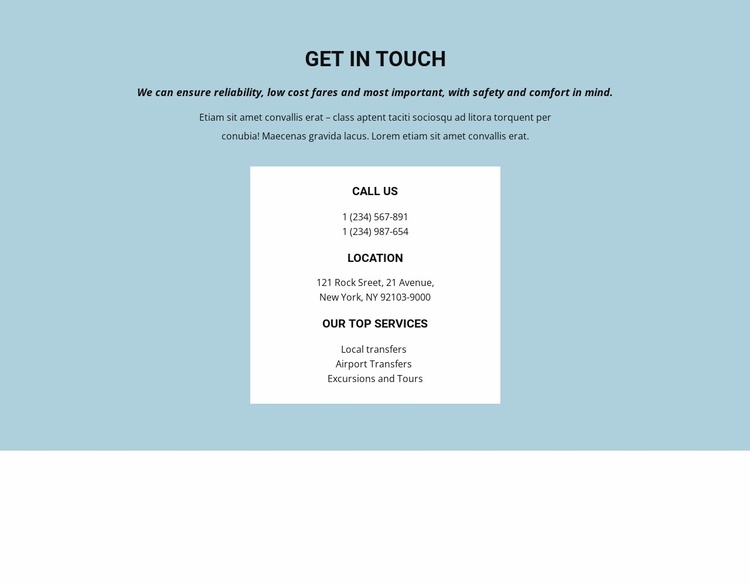
The “Get in touch” section establishes more than a contact endpoint: it identifies the main content areas a transportation website needs at its starting point. The introductory text presents the service context, while the white information card gathers phone contact details, a location address, and the listed transportation categories. Together, these elements create a compact foundation for a project that may later expand its information architecture around specific services or visitor questions.
Local transfers, airport transfers, and excursions and tours provide three distinct directions for developing the broader site. They can inform separate service explanations, dedicated inquiry content, or supporting pages, while the existing contact section remains the shared point for direct communication. The page therefore offers a useful core without claiming to include those additional pages already. Its value lies in the relationship between service coverage and contact access: visitors can identify the relevant transportation need and immediately see how to get in touch.
The visual treatment supports this foundation without overwhelming it. Centered typography, a light blue background, a white card, generous whitespace, and restrained contrast create a recognizable visual starting point that can guide related pages. As a website template, the design provides a focused contact-centered base for a transportation project, with clear content categories and a consistent presentation direction ready for considered expansion.
Customize with Nicepage
Open this ready-made template in the Website Template Builder and customize it visually in the Nicepage editor. Replace demo content, edit page sections, and adapt the design to your project without rebuilding the template from scratch.
Build a Complete Website From This Template
Customize the Website Visually
Use this ready-made website template as a starting point for your project and adapt its pages visually in Nicepage. Change content, images, typography, navigation, sections, and other design elements while keeping the website together as a single editable project.
Manage Website Pages in One Project
Use the Pages panel to open, add, duplicate, and manage the pages of your website. Work on individual pages while keeping navigation and the overall site structure accessible from the same project, making it easier to develop a complete website instead of managing separate page files.
Expand the Website With Matching Designs
When you need additional pages or sections, use Page Design Sets to find Page and Block Designs created in the same visual style. Design Sets group matching designs together, making it easier to expand the website with new content while maintaining a consistent look across its pages and sections.
Organize Larger Multi-Page Websites
As the website grows, use Page Folders to organize related pages and keep larger multi-page projects easier to navigate in the editor. This is especially useful for websites with separate service pages, company information, contacts, landing pages, and other content areas.
This workflow makes the template a practical foundation for building and expanding a complete website while managing its pages, content, and visual design within one Nicepage project.