Interior space planning and design Website Template


A Reusable Services Area for Interior-Focused Site Content
The block defines one stable content area for an interior design project. Its left panel introduces Interior space planning with a label, bold heading, supporting explanation about room dimensions and structural modifications, and a Try now action. The right side expands that message into four related categories: Consultations, Planning, Accessories, and Living Rooms. Together, these regions can provide a recognizable services section while other blocks handle introductions, project examples, testimonials, or contact details.
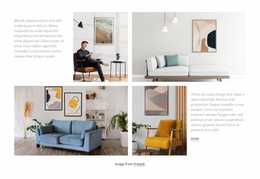
The repeated two-by-two card arrangement makes the section suitable for reuse when a broader website needs a consistent way to group related offerings. Each card has the same basic visual logic—an interior image, dark overlay, centered label, and circular orange icon—so the categories remain coordinated even though their imagery can differ. The white text panel supplies a contrasting anchor and keeps the explanatory content separate from the visual choices.
In a larger website project, this block can occupy a services or features role without carrying the site’s full structure. Its content can be coordinated with neighboring sections that explain the design process, show completed spaces, or provide a separate inquiry route. The stable relationship between the introductory panel and four category cards is the reusable value: it gives related interior content one coherent, repeatable section format.
Customize with Nicepage
Open this ready-made template in the Website Template Builder and customize it visually in the Nicepage editor. Replace demo content, edit page sections, and adapt the design to your project without rebuilding the template from scratch.
Edit Template Offline
2. Create a new page or select existing
3. Click Add new block, search for id 4245550 and click enter
Edit Template Online
Create Awesome Websites


Free Nicepage Builder
Keywords
Use This Block in a Broader Website Template Project
Treat the Block as One Reusable Site Section
A website project is assembled from multiple pages and sections. The analyzed block provides one reusable content area—such as services, About, testimonials, pricing, gallery, team, or contact—while the rest of the site supplies other page-level functions.
Coordinate the Section With Other Pages
Use the Pages panel to manage the pages of the broader project. The block can remain one consistent section pattern while related pages add deeper information or different content without implying that the Block ID itself contains those pages.
Expand With Matching Designs
When additional pages or sections are needed, Page Design Sets can help locate matching Page and Block Designs. This can extend the visual direction around the existing block while keeping the site's other content areas separate.
This workflow treats the block as a reusable building unit inside a larger Website Template project, not as a complete website foundation on its own.