Betty Nilson personal page Website Template



Edit Template Offline
2. Create new page and search for id 3911077
Edit Template Online
Create Awesome Websites


Free Nicepage Builder
Keywords
Service and portfolio areas that can anchor a creative site
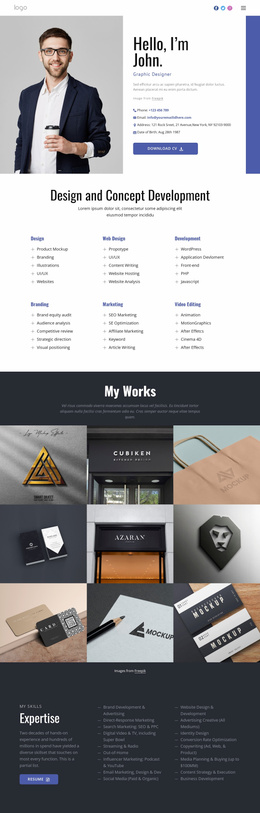
The existing design already identifies several major content areas for a creative website foundation. The Art Director hero establishes the personal profile, while the four service items separate Web Design, Mobile Design, Development, and Interaction Design into recognizable categories. Those areas could guide future service-specific content without changing the design’s central personal character. The biography and qualifications sections add space for professional background, education, and career information, giving the site more substance than a portfolio grid alone.
The selected-work section provides a second structural direction for expansion. Branding, Web Design, and Mobile Applications are presented as portfolio categories with project mockups, so additional work could follow the same relationship between visual example and explanatory text. The six-entry Testimonials section supplies a reusable proof area, while the displayed figures for 17 years, 138 clients, and 350 projects offer a compact summary block; these values remain template content and should be independently verified before publication. Client marks near the contact prompt provide another visual grouping, and the Get in Touch button identifies the intended relationship between the site and prospective project inquiries. As a broader website foundation, the design therefore contributes a coherent personal identity, service structure, work categories, feedback area, and contact region, while leaving room for additional pages or deeper content without claiming that those pages already exist.
Customize with Nicepage
Open this ready-made template in the Website Template Builder and customize it visually in the Nicepage editor. Replace demo content, edit page sections, and adapt the design to your project without rebuilding the template from scratch.
Build a Complete Website From This Template
Customize the Website Visually
Use this ready-made website template as a starting point for your project and adapt its pages visually in Nicepage. Change content, images, typography, navigation, sections, and other design elements while keeping the website together as a single editable project.
Manage Website Pages in One Project
Use the Pages panel to open, add, duplicate, and manage the pages of your website. Work on individual pages while keeping navigation and the overall site structure accessible from the same project, making it easier to develop a complete website instead of managing separate page files.
Expand the Website With Matching Designs
When you need additional pages or sections, use Page Design Sets to find Page and Block Designs created in the same visual style. Design Sets group matching designs together, making it easier to expand the website with new content while maintaining a consistent look across its pages and sections.
Organize Larger Multi-Page Websites
As the website grows, use Page Folders to organize related pages and keep larger multi-page projects easier to navigate in the editor. This is especially useful for websites with separate service pages, company information, contacts, landing pages, and other content areas.
This workflow makes the template a practical foundation for building and expanding a complete website while managing its pages, content, and visual design within one Nicepage project.