Ideas brought to live art Website Template


Edit Template Offline
2. Create new page and search for id 38760
Edit Template Online
Create Awesome Websites


Free Nicepage Builder
Keywords
Service Categories and Contact Areas Establish a Website Foundation
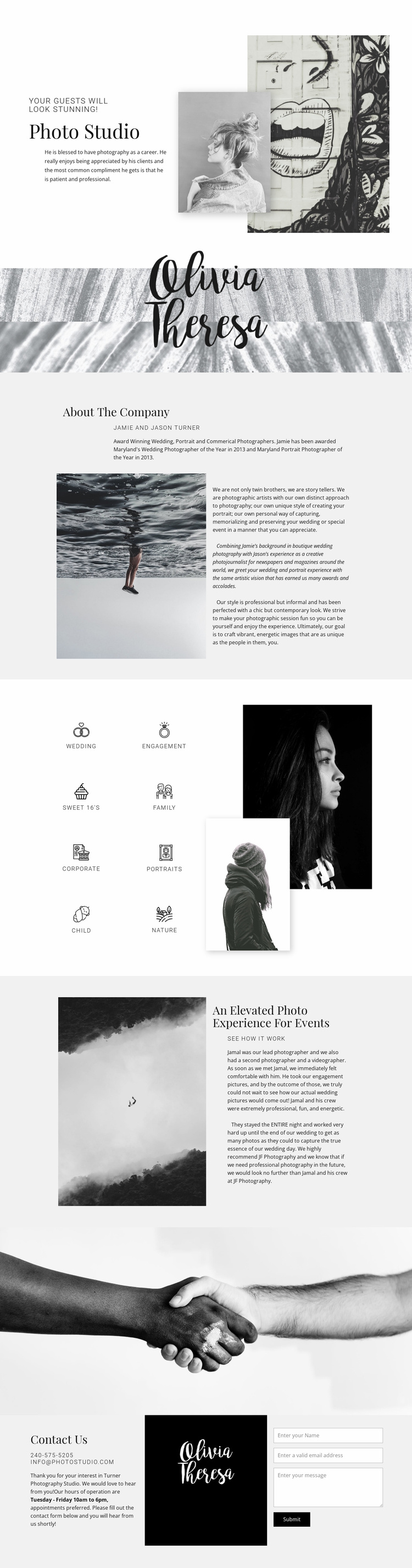
Eight labeled photography categories give this design a strong starting information architecture for a broader studio website. Wedding, engagement, Sweet 16’s, family, corporate, portraits, child, and nature photography are grouped beside portrait imagery, separating the studio’s range of services from the more narrative sections of the page. These categories could later guide dedicated service content while preserving the same visual direction.
The page also defines several other major content areas. The opening Photo Studio section introduces the business with a compact message and overlapping images, while the About The Company section provides space for the photographers’ background and artistic approach. The event experience section adds a more specific context, combining a large atmospheric photograph with client-focused explanatory content. Together, these areas cover identity, background, service scope, and a representative experience without requiring the visitor to interpret an unstructured image collection.
The closing three-column contact area gives the project a practical endpoint. Phone and email channels, Tuesday through Friday operating hours, a brand image, and an inquiry form create a clear place for prospective clients to continue the conversation. As a website template, the design can therefore serve as the visual and informational foundation for additional service, portfolio, or company pages. Its value lies in the relationships already established between imagery, service coverage, studio information, event context, and contact response.
Customize with Nicepage
Open this ready-made template in the Website Template Builder and customize it visually in the Nicepage editor. Replace demo content, edit page sections, and adapt the design to your project without rebuilding the template from scratch.
Build a Complete Website From This Template
Customize the Website Visually
Use this ready-made website template as a starting point for your project and adapt its pages visually in Nicepage. Change content, images, typography, navigation, sections, and other design elements while keeping the website together as a single editable project.
Manage Website Pages in One Project
Use the Pages panel to open, add, duplicate, and manage the pages of your website. Work on individual pages while keeping navigation and the overall site structure accessible from the same project, making it easier to develop a complete website instead of managing separate page files.
Expand the Website With Matching Designs
When you need additional pages or sections, use Page Design Sets to find Page and Block Designs created in the same visual style. Design Sets group matching designs together, making it easier to expand the website with new content while maintaining a consistent look across its pages and sections.
Organize Larger Multi-Page Websites
As the website grows, use Page Folders to organize related pages and keep larger multi-page projects easier to navigate in the editor. This is especially useful for websites with separate service pages, company information, contacts, landing pages, and other content areas.
This workflow makes the template a practical foundation for building and expanding a complete website while managing its pages, content, and visual design within one Nicepage project.