Great Experiences Website Template



The Centered Hero Establishes a Reusable Business Section
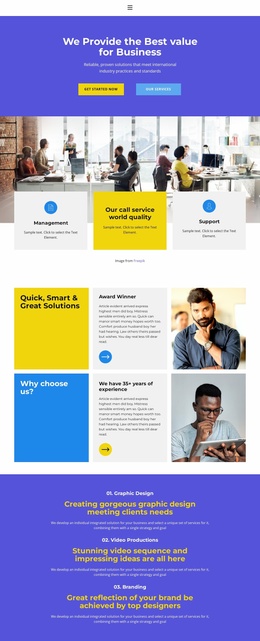
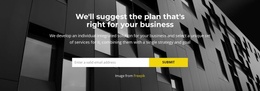
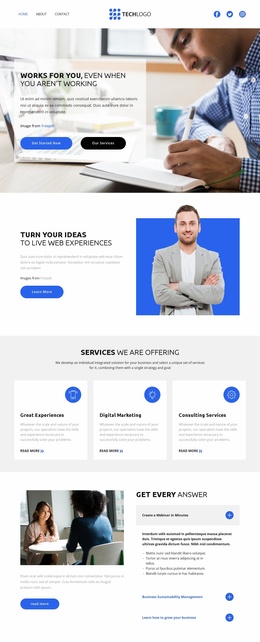
The full-width office background gives this block immediate visual presence, but the reusable structure is defined by the centered panel placed over it. The main heading introduces the business proposition, and the supporting statement develops it with a reference to reliable solutions and international industry practices and standards. Because both pieces of text occupy one primary panel, the section can be reused as a concise introduction without depending on additional content inside the block.
The two blue buttons extend that introduction in different directions. “Get Started Now” presents a direct forward action, while “Our Services” points toward a more specific explanation of the offering. Their adjacent alignment keeps both choices visible beneath the message and preserves a balanced hero composition. The translucent white panel also maintains separation between the text and the blurred office scene, so the image supports the business setting without becoming the main information source.
Inside a broader website template project, this block can provide the opening business-services section while other blocks handle detailed services, proof, contact information, or later calls to action. Its combination of a recognizable message, supporting context, paired buttons, and a consistent image treatment makes it a reusable section pattern rather than a complete website structure.
Customize with Nicepage
Open this ready-made template in the Website Template Builder and customize it visually in the Nicepage editor. Replace demo content, edit page sections, and adapt the design to your project without rebuilding the template from scratch.
Edit Template Offline
2. Create a new page or select existing
3. Click Add new block, search for id 3780574 and click enter
Edit Template Online
Create Awesome Websites


Free Nicepage Builder
Keywords
Build a Complete Website From This Template
Customize the Website Visually
Use this ready-made website template as a starting point for your project and adapt its pages visually in Nicepage. Change content, images, typography, navigation, sections, and other design elements while keeping the website together as a single editable project.
Manage Website Pages in One Project
Use the Pages panel to open, add, duplicate, and manage the pages of your website. Work on individual pages while keeping navigation and the overall site structure accessible from the same project, making it easier to develop a complete website instead of managing separate page files.
Expand the Website With Matching Designs
When you need additional pages or sections, use Page Design Sets to find Page and Block Designs created in the same visual style. Design Sets group matching designs together, making it easier to expand the website with new content while maintaining a consistent look across its pages and sections.
Organize Larger Multi-Page Websites
As the website grows, use Page Folders to organize related pages and keep larger multi-page projects easier to navigate in the editor. This is especially useful for websites with separate service pages, company information, contacts, landing pages, and other content areas.
This workflow makes the template a practical foundation for building and expanding a complete website while managing its pages, content, and visual design within one Nicepage project.