Space-inspired architechture Website Template


Edit Template Offline
2. Create new page and search for id 32542
Edit Template Online
Create Awesome Websites


Free Nicepage Builder
Keywords
Projects, Stories, and Categories Establish a Broader Site Foundation
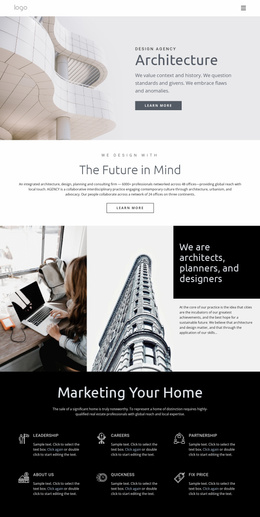
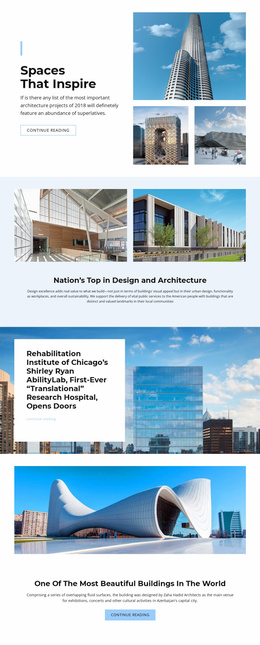
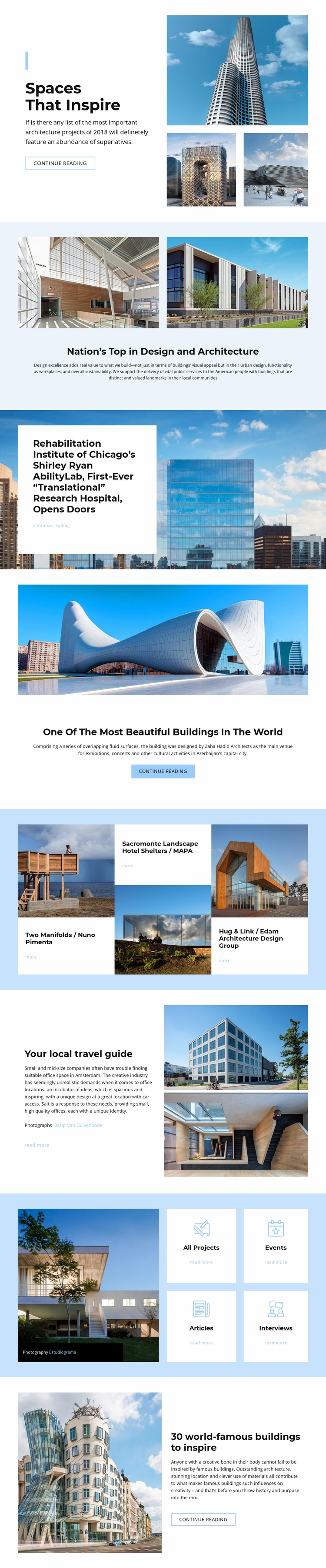
The design already identifies the major content areas an architecture website may need. The opening feature can serve as a prominent editorial or project entry, while the paired-image overview supplies a place for broader commentary about design and sustainability. The Shirley Ryan AbilityLab and Azerbaijan building sections then demonstrate how individual architecture stories can receive distinct presentation patterns within the same visual direction.
The three repeated project items make the foundation more substantial. Two Manifolds, Sacromonte Landscape Hotel Shelters, and Hug & Link each have an image, a project label, a credited name, and a reading action. That structure can inform additional project content without requiring every item to be displayed as a large standalone feature. The local travel guide contributes another reusable editorial pattern, pairing explanatory text with two stacked images and a photographer credit.
The category directory is especially useful for thinking beyond one homepage. All Projects, Events, Articles, and Interviews provide visible content groupings that could lead to related sections or future pages, while the recurring reading links connect the homepage presentation with deeper material. The template does not need to claim a complete multi-page site to offer this value: its existing content areas establish a practical information architecture and a visual foundation that can expand as more architecture stories, projects, and event content are added.
Customize with Nicepage
Open this ready-made template in the Website Template Builder and customize it visually in the Nicepage editor. Replace demo content, edit page sections, and adapt the design to your project without rebuilding the template from scratch.
Build a Complete Website From This Template
Customize the Website Visually
Use this ready-made website template as a starting point for your project and adapt its pages visually in Nicepage. Change content, images, typography, navigation, sections, and other design elements while keeping the website together as a single editable project.
Manage Website Pages in One Project
Use the Pages panel to open, add, duplicate, and manage the pages of your website. Work on individual pages while keeping navigation and the overall site structure accessible from the same project, making it easier to develop a complete website instead of managing separate page files.
Expand the Website With Matching Designs
When you need additional pages or sections, use Page Design Sets to find Page and Block Designs created in the same visual style. Design Sets group matching designs together, making it easier to expand the website with new content while maintaining a consistent look across its pages and sections.
Organize Larger Multi-Page Websites
As the website grows, use Page Folders to organize related pages and keep larger multi-page projects easier to navigate in the editor. This is especially useful for websites with separate service pages, company information, contacts, landing pages, and other content areas.
This workflow makes the template a practical foundation for building and expanding a complete website while managing its pages, content, and visual design within one Nicepage project.