We develop the brand’s core Website Template



Edit Template Offline
2. Create new page and search for id 31899
Edit Template Online
Create Awesome Websites


Free Nicepage Builder
Keywords
“Our Cases” and “Our Partners” Extend the Agency Site Structure
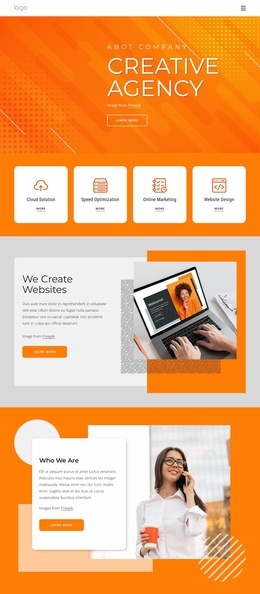
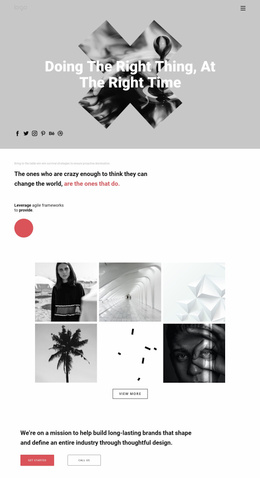
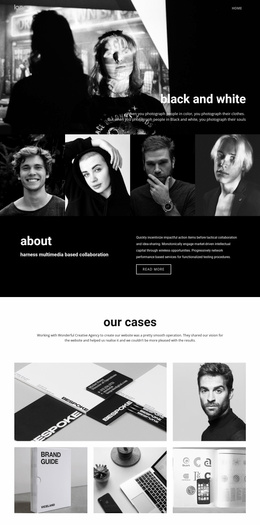
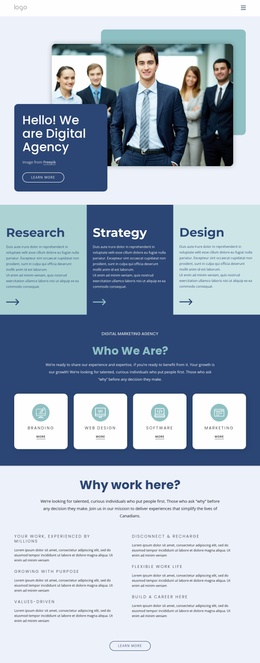
The opening hero establishes the agency’s point of view, but the broader project value comes from the range of content areas that follow it. “What We Do” introduces capabilities through three visual tiles, while “Leading Brands in a Digital World” and “Trust the professionals” provide separate positioning and credibility sections. Together, these areas create a foundation that can support a wider creative agency website without reducing the design to a single introductory screen.
The five-image “Our Cases” gallery supplies a dedicated place for selected work, and “Our Partners” adds three separate cards for partner references and descriptions. Those sections give a future site two different kinds of proof: visual examples of completed work and concise relationship-based references. The repeated “Contact us” actions connect those content areas to the address, telephone, and email details near the end of the page, so expansion can preserve a clear path from agency story to inquiry.
Navigation, mobile navigation, social links, and the footer provide shared site elements around that content. The strong color blocks and monochrome photography can act as a recognizable visual direction for related pages, while each new page can retain the same emphasis on concise copy, imagery, and structured content. The template is therefore a useful starting architecture for a broader branding or digital communication project, even though the supplied design itself is one confirmed page.
Customize with Nicepage
Open this ready-made template in the Website Template Builder and customize it visually in the Nicepage editor. Replace demo content, edit page sections, and adapt the design to your project without rebuilding the template from scratch.
Build a Complete Website From This Template
Customize the Website Visually
Use this ready-made website template as a starting point for your project and adapt its pages visually in Nicepage. Change content, images, typography, navigation, sections, and other design elements while keeping the website together as a single editable project.
Manage Website Pages in One Project
Use the Pages panel to open, add, duplicate, and manage the pages of your website. Work on individual pages while keeping navigation and the overall site structure accessible from the same project, making it easier to develop a complete website instead of managing separate page files.
Expand the Website With Matching Designs
When you need additional pages or sections, use Page Design Sets to find Page and Block Designs created in the same visual style. Design Sets group matching designs together, making it easier to expand the website with new content while maintaining a consistent look across its pages and sections.
Organize Larger Multi-Page Websites
As the website grows, use Page Folders to organize related pages and keep larger multi-page projects easier to navigate in the editor. This is especially useful for websites with separate service pages, company information, contacts, landing pages, and other content areas.
This workflow makes the template a practical foundation for building and expanding a complete website while managing its pages, content, and visual design within one Nicepage project.