Drawing charcoal portraits Website Template


Edit Template Offline
2. Create new page and search for id 31386
Edit Template Online
Create Awesome Websites


Free Nicepage Builder
Keywords
Biography, Series Content, and Exhibition Information Establish a Site Foundation
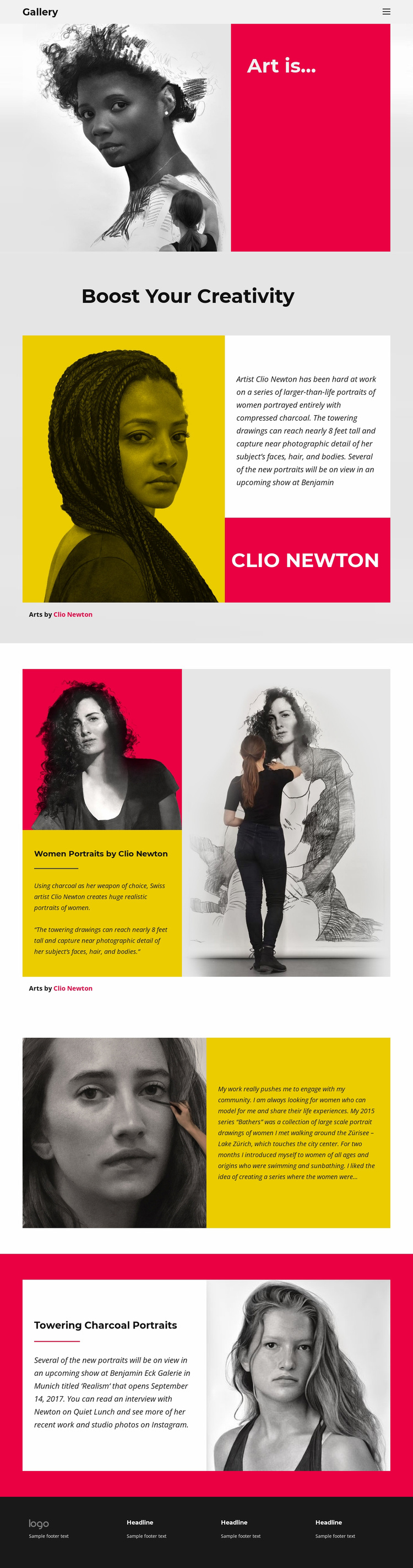
The design already defines several important content categories for an artist-focused website. Its compact Gallery header and navigation provide a shared frame for the project, while the opening “Art is...” panel introduces the artistic viewpoint before the page moves into profile material. “Boost Your Creativity” gives Clio Newton’s biography and practice a clear place, including the description of large charcoal portraits of women and the attribution to the artist.
The following sections create additional areas that could guide future site expansion. “Women Portraits by Clio Newton” functions as a focused presentation of one body of work, while the close-up portrait and Bathers statement introduce series context, modeling, community, and Lake Zürich. The final “Towering Charcoal Portraits” section adds an exhibition-oriented category with Realism and Benjamin Eck Galerie in Munich. Together, these regions suggest a path from artist profile to individual series and public exhibition information without claiming that additional pages already exist.
The strong visual system—monochrome portrait imagery, vivid color fields, bold headings, and generous spacing—can provide continuity as related content areas are developed. A broader website might extend the existing foundation with separate project, biography, exhibition, or contact pages, but those pages are not verified in the current template. Its value as a website template lies in the clear content map already present: navigation, practice, artwork, series context, exhibition, and footer.
Customize with Nicepage
Open this ready-made template in the Website Template Builder and customize it visually in the Nicepage editor. Replace demo content, edit page sections, and adapt the design to your project without rebuilding the template from scratch.
Build a Complete Website From This Template
Customize the Website Visually
Use this ready-made website template as a starting point for your project and adapt its pages visually in Nicepage. Change content, images, typography, navigation, sections, and other design elements while keeping the website together as a single editable project.
Manage Website Pages in One Project
Use the Pages panel to open, add, duplicate, and manage the pages of your website. Work on individual pages while keeping navigation and the overall site structure accessible from the same project, making it easier to develop a complete website instead of managing separate page files.
Expand the Website With Matching Designs
When you need additional pages or sections, use Page Design Sets to find Page and Block Designs created in the same visual style. Design Sets group matching designs together, making it easier to expand the website with new content while maintaining a consistent look across its pages and sections.
Organize Larger Multi-Page Websites
As the website grows, use Page Folders to organize related pages and keep larger multi-page projects easier to navigate in the editor. This is especially useful for websites with separate service pages, company information, contacts, landing pages, and other content areas.
This workflow makes the template a practical foundation for building and expanding a complete website while managing its pages, content, and visual design within one Nicepage project.