Limited-edition photography Website Template


Edit Template Offline
2. Create new page and search for id 31342
Edit Template Online
Create Awesome Websites


Free Nicepage Builder
Keywords
Project Sections Create a Foundation for a Broader Portfolio
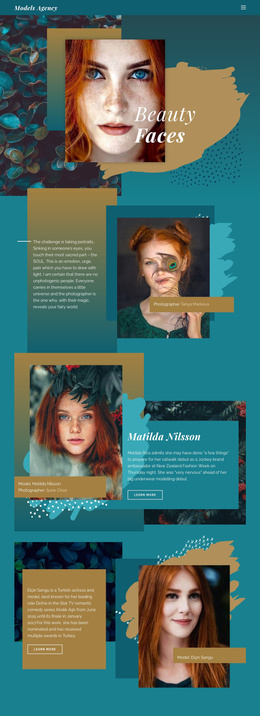
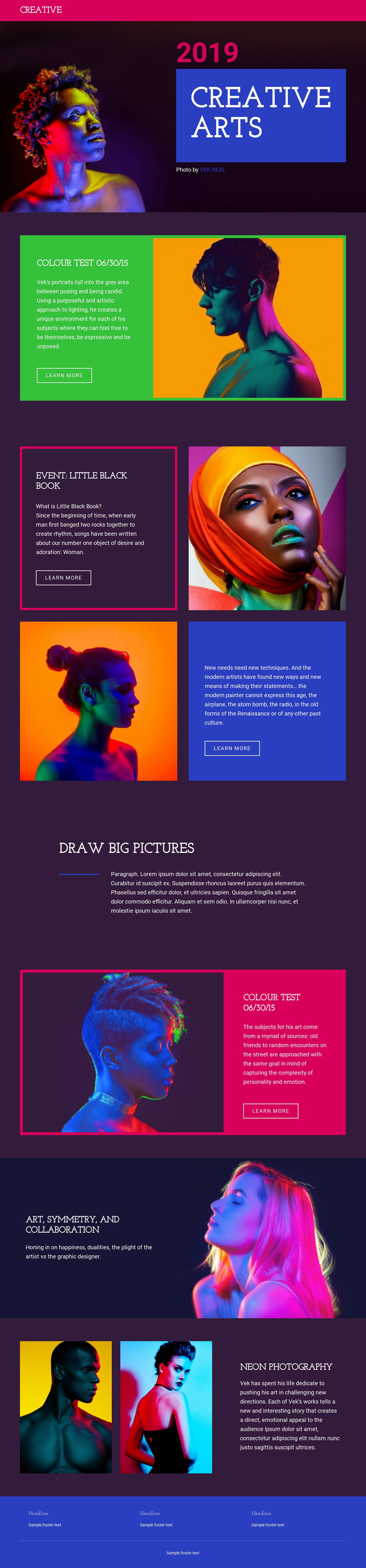
The design already identifies several content areas that can serve as the foundation of a wider creative photography website. The Creative Arts hero establishes the central visual direction, while its portrait, 2019 date, and VEK NEAL credit provide a clear opening context for the work. COLOUR TEST 06/30/15 then functions as a featured project area, combining explanatory copy, a portrait image, and a learn more action that could lead to deeper project content as the site develops.
EVENT: LITTLE BLACK BOOK adds two related project features with alternating alignment, creating a repeatable pattern for presenting further photographic series. The second colour-test presentation shows that the design can revisit a project theme while changing its color treatment and image emphasis. Draw big pictures offers a compact editorial area that could support an introduction, artistic statement, or broader portfolio perspective. ART, SYMMETRY, AND COLLABORATION extends the content beyond a single project, and Neon photography supplies another image-led category with two portrait thumbnails and descriptive text. The existing navigation and blue three-column footer give these areas shared site framing. Although only one page is verified, its content categories and recurring split compositions provide a practical visual and informational base for additional portfolio pages.
Customize with Nicepage
Open this ready-made template in the Website Template Builder and customize it visually in the Nicepage editor. Replace demo content, edit page sections, and adapt the design to your project without rebuilding the template from scratch.
Build a Complete Website From This Template
Customize the Website Visually
Use this ready-made website template as a starting point for your project and adapt its pages visually in Nicepage. Change content, images, typography, navigation, sections, and other design elements while keeping the website together as a single editable project.
Manage Website Pages in One Project
Use the Pages panel to open, add, duplicate, and manage the pages of your website. Work on individual pages while keeping navigation and the overall site structure accessible from the same project, making it easier to develop a complete website instead of managing separate page files.
Expand the Website With Matching Designs
When you need additional pages or sections, use Page Design Sets to find Page and Block Designs created in the same visual style. Design Sets group matching designs together, making it easier to expand the website with new content while maintaining a consistent look across its pages and sections.
Organize Larger Multi-Page Websites
As the website grows, use Page Folders to organize related pages and keep larger multi-page projects easier to navigate in the editor. This is especially useful for websites with separate service pages, company information, contacts, landing pages, and other content areas.
This workflow makes the template a practical foundation for building and expanding a complete website while managing its pages, content, and visual design within one Nicepage project.