Solar panels collect energy from the sun Website Template


A Four-Card Metrics Pattern Can Recur Across a Website Project
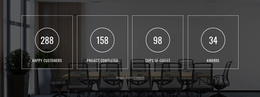
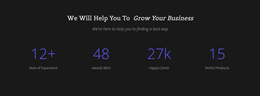
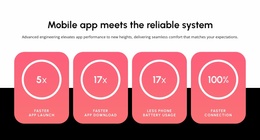
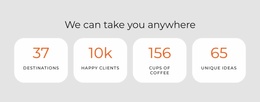
The block defines one stable content area for performance or impact indicators. Its four cards present Employees, Installed (MW), Projects, and MT CO2 through the same icon, value, and label relationship, making the section easy to recognize as a metrics pattern. Within a broader website project, that pattern could support a page that needs a concise summary while other sections handle introductions, detailed explanations, services, projects, or contact information.
The reusable quality comes from both content structure and visual consistency. Equal cards form one horizontal row, light-gray surfaces separate the indicators, orange values establish a repeated emphasis color, and uppercase dark labels clarify each category. Generous whitespace gives the section enough visual independence to appear between denser content regions. Because interaction is static, the block communicates its complete set of four peer counters without depending on a carousel, accordion, or other control.
This Website Template interpretation keeps the block at section level. It can be coordinated with related blocks by echoing its card spacing, icon treatment, or accent color, but it does not supply the project’s pages or overall architecture. The containing website determines where the metrics belong and what context surrounds them. The block’s contribution is a dependable, self-contained counter region that can be reused or adapted within that larger collection of sections.
Customize with Nicepage
Open this ready-made template in the Website Template Builder and customize it visually in the Nicepage editor. Replace demo content, edit page sections, and adapt the design to your project without rebuilding the template from scratch.
Edit Template Offline
2. Create a new page or select existing
3. Click Add new block, search for id 2277544 and click enter
Edit Template Online
Create Awesome Websites


Free Nicepage Builder
Keywords
Build a Complete Website From This Template
Customize the Website Visually
Use this ready-made website template as a starting point for your project and adapt its pages visually in Nicepage. Change content, images, typography, navigation, sections, and other design elements while keeping the website together as a single editable project.
Manage Website Pages in One Project
Use the Pages panel to open, add, duplicate, and manage the pages of your website. Work on individual pages while keeping navigation and the overall site structure accessible from the same project, making it easier to develop a complete website instead of managing separate page files.
Expand the Website With Matching Designs
When you need additional pages or sections, use Page Design Sets to find Page and Block Designs created in the same visual style. Design Sets group matching designs together, making it easier to expand the website with new content while maintaining a consistent look across its pages and sections.
Organize Larger Multi-Page Websites
As the website grows, use Page Folders to organize related pages and keep larger multi-page projects easier to navigate in the editor. This is especially useful for websites with separate service pages, company information, contacts, landing pages, and other content areas.
This workflow makes the template a practical foundation for building and expanding a complete website while managing its pages, content, and visual design within one Nicepage project.