Losing weight Website Template



Edit Template Offline
2. Create new page and search for id 1804843
Edit Template Online
Create Awesome Websites


Free Nicepage Builder
Keywords
Nutrition, Activity, and Contact Areas Establish a Site Foundation
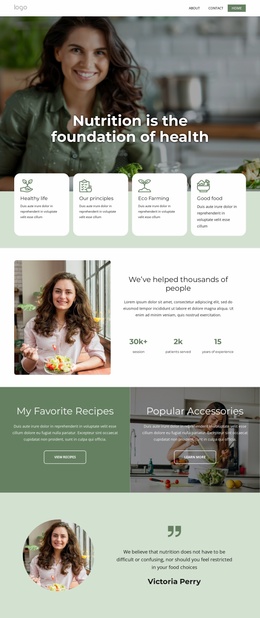
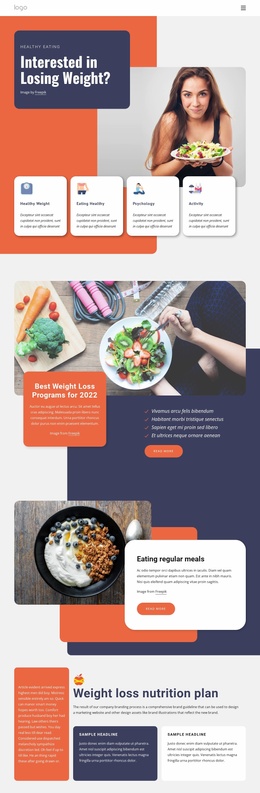
The template already identifies several major content areas that a broader wellness website could build around. The four opening cards—Healthy Weight, Eating Healthy, Psychology, and Activity—provide a high-level subject structure. The page then expands those themes through a weight loss program section, regular-meal guidance, a nutrition plan with two supporting cards, and a separate exercise area. These divisions can help a larger project distinguish educational, program, and activity-related content without abandoning the original visual direction.
The exercise list is particularly useful as a foundation because it names walking, cycling, weight training, interval training, swimming, yoga, and Pilates. Those topics could inform related content areas or additional pages, while the Weight Loss Challenge panel offers a separate program-oriented path. The three-step meal section contributes another concise educational format, showing that the design can support both broader topic introductions and focused guidance.
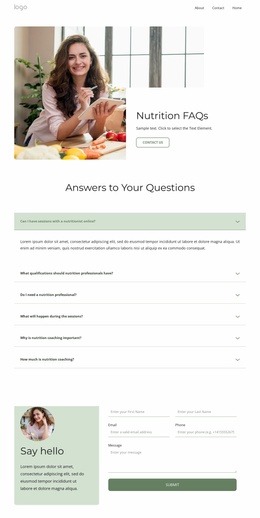
The closing contact region connects the content foundation to ongoing communication. Contact details, Facebook, Instagram, Twitter, and YouTube links, a newsletter invitation, and a signup form define a reusable relationship area for the wider project. Nothing in the analysis proves that multiple pages already exist, but the verified sections provide a credible starting information architecture for expanding a wellness site. The shared colors, rounded cards, image treatment, and strong headings can then keep additional content visually related rather than making each new area feel disconnected.
Customize with Nicepage
Open this ready-made template in the Website Template Builder and customize it visually in the Nicepage editor. Replace demo content, edit page sections, and adapt the design to your project without rebuilding the template from scratch.
Build a Complete Website From This Template
Customize the Website Visually
Use this ready-made website template as a starting point for your project and adapt its pages visually in Nicepage. Change content, images, typography, navigation, sections, and other design elements while keeping the website together as a single editable project.
Manage Website Pages in One Project
Use the Pages panel to open, add, duplicate, and manage the pages of your website. Work on individual pages while keeping navigation and the overall site structure accessible from the same project, making it easier to develop a complete website instead of managing separate page files.
Expand the Website With Matching Designs
When you need additional pages or sections, use Page Design Sets to find Page and Block Designs created in the same visual style. Design Sets group matching designs together, making it easier to expand the website with new content while maintaining a consistent look across its pages and sections.
Organize Larger Multi-Page Websites
As the website grows, use Page Folders to organize related pages and keep larger multi-page projects easier to navigate in the editor. This is especially useful for websites with separate service pages, company information, contacts, landing pages, and other content areas.
This workflow makes the template a practical foundation for building and expanding a complete website while managing its pages, content, and visual design within one Nicepage project.