Art Studio Website Template


Edit Template Offline
2. Create new page and search for id 14090
Edit Template Online
Create Awesome Websites


Free Nicepage Builder
Keywords
Gallery News and Artist Features Establish a Wider Site Foundation
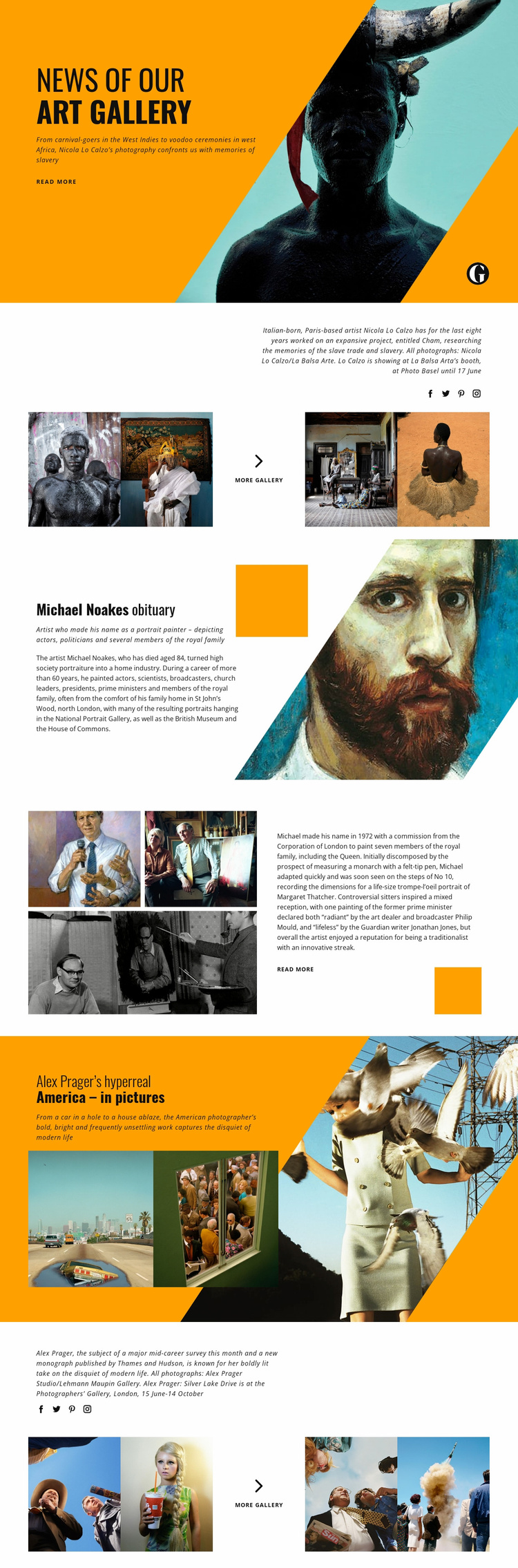
The design already separates several meaningful content areas that can guide a broader arts website. The opening “News of Our Art Gallery” feature creates a publication-style entry point, while the Nicola Lo Calzo section introduces a subject through captioned photography, four supporting images, a gallery action, and social links. This combination suggests a reusable relationship between editorial text, visual evidence, and onward exploration rather than a page built around one isolated announcement.
The Michael Noakes content adds a different category: an obituary and profile continuation. A portrait-oriented image carries the main story, then a split composition places three supporting photographs beside a longer excerpt and “Read More” link. That structure could inform related profile, archive, or remembrance content while keeping the visual language consistent. The Alex Prager feature contributes another model, pairing a concise photography introduction with two images and a later four-image gallery strip.
Together, these sections define a practical information direction for a broader gallery or cultural publication: news, artist profiles, photography features, and related visual galleries can each have a recognizable presentation while sharing the same editorial character. The verified design is a single page, not a confirmed multi-page set, but its repeated feature patterns provide clear content areas from which additional pages or stories could be developed. The bold typography, orange and teal accents, and asymmetrical image treatments would help those additions remain connected to the original project.
Customize with Nicepage
Open this ready-made template in the Website Template Builder and customize it visually in the Nicepage editor. Replace demo content, edit page sections, and adapt the design to your project without rebuilding the template from scratch.
Build a Complete Website From This Template
Customize the Website Visually
Use this ready-made website template as a starting point for your project and adapt its pages visually in Nicepage. Change content, images, typography, navigation, sections, and other design elements while keeping the website together as a single editable project.
Manage Website Pages in One Project
Use the Pages panel to open, add, duplicate, and manage the pages of your website. Work on individual pages while keeping navigation and the overall site structure accessible from the same project, making it easier to develop a complete website instead of managing separate page files.
Expand the Website With Matching Designs
When you need additional pages or sections, use Page Design Sets to find Page and Block Designs created in the same visual style. Design Sets group matching designs together, making it easier to expand the website with new content while maintaining a consistent look across its pages and sections.
Organize Larger Multi-Page Websites
As the website grows, use Page Folders to organize related pages and keep larger multi-page projects easier to navigate in the editor. This is especially useful for websites with separate service pages, company information, contacts, landing pages, and other content areas.
This workflow makes the template a practical foundation for building and expanding a complete website while managing its pages, content, and visual design within one Nicepage project.