Video Technology Website Template


Edit Template Offline
2. Create new page and search for id 12863
Edit Template Online
Create Awesome Websites


Free Nicepage Builder
Keywords
Editing, Prototyping, and Digital Art Establish Expansion Areas
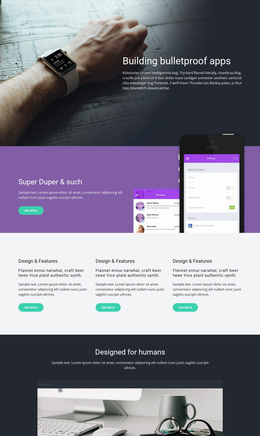
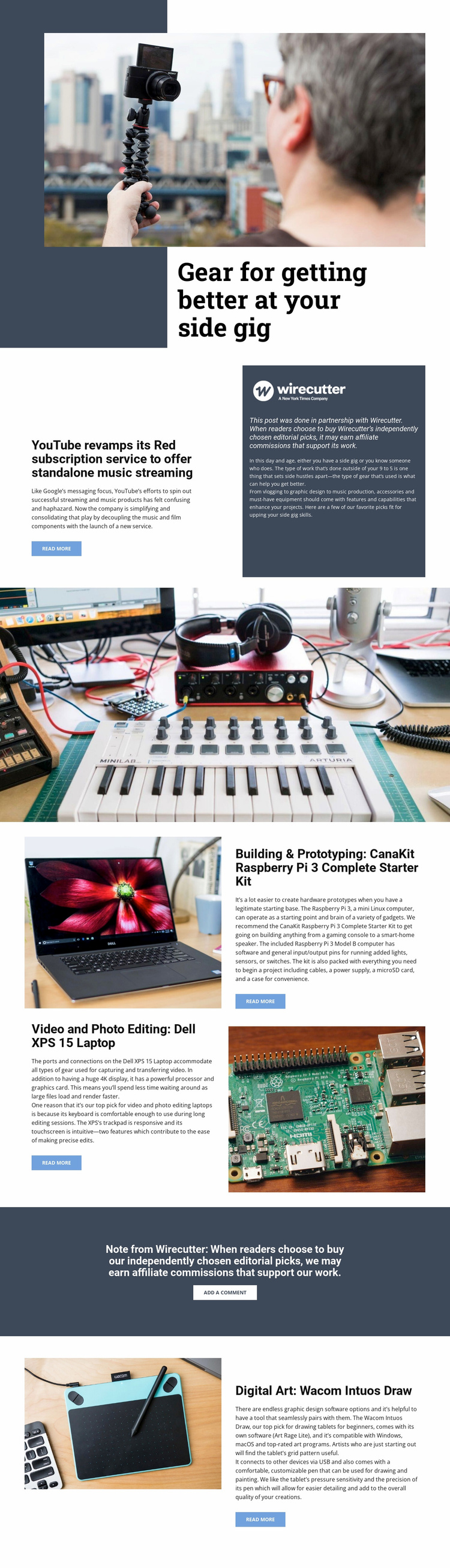
The design provides several major content areas that can serve as the foundation for a larger editorial technology project. The hero establishes the broad subject of improving a side gig, while the YouTube Red feature introduces a separate article-oriented direction. Together, these areas suggest a project that can combine equipment guidance with technology coverage rather than limiting itself to a single product page.
The three recommendation categories give the foundation a practical information structure. Video and photo editing is tied to the Dell XPS 15 Laptop, building and prototyping to the CanaKit Raspberry Pi 3 Complete Starter Kit, and digital art to the Wacom Intuos Draw. Those categories could organize related guides or supporting pages as the project grows, while the existing alternating image-and-copy treatment provides a visual pattern for presenting additional recommendations. This is an expansion opportunity, not a claim that multiple pages already exist.
The Wirecutter partnership disclosure, affiliate note, read-more links, and add-a-comment action add recurring editorial and reader-response patterns. A broader site could preserve those relationships while adding related equipment topics or independent-project guides. The dark slate palette, asymmetric photography, and rectangular content fields would give additional pages a recognizable visual foundation instead of leaving each new section stylistically disconnected.
Customize with Nicepage
Open this ready-made template in the Website Template Builder and customize it visually in the Nicepage editor. Replace demo content, edit page sections, and adapt the design to your project without rebuilding the template from scratch.
Build a Complete Website From This Template
Customize the Website Visually
Use this ready-made website template as a starting point for your project and adapt its pages visually in Nicepage. Change content, images, typography, navigation, sections, and other design elements while keeping the website together as a single editable project.
Manage Website Pages in One Project
Use the Pages panel to open, add, duplicate, and manage the pages of your website. Work on individual pages while keeping navigation and the overall site structure accessible from the same project, making it easier to develop a complete website instead of managing separate page files.
Expand the Website With Matching Designs
When you need additional pages or sections, use Page Design Sets to find Page and Block Designs created in the same visual style. Design Sets group matching designs together, making it easier to expand the website with new content while maintaining a consistent look across its pages and sections.
Organize Larger Multi-Page Websites
As the website grows, use Page Folders to organize related pages and keep larger multi-page projects easier to navigate in the editor. This is especially useful for websites with separate service pages, company information, contacts, landing pages, and other content areas.
This workflow makes the template a practical foundation for building and expanding a complete website while managing its pages, content, and visual design within one Nicepage project.