Creativity leads everything we do Website Template



Edit Template Offline
2. Create new page and search for id 1280856
Edit Template Online
Create Awesome Websites


Free Nicepage Builder
Keywords
Three Service Categories Give the Site a Clear Expansion Base
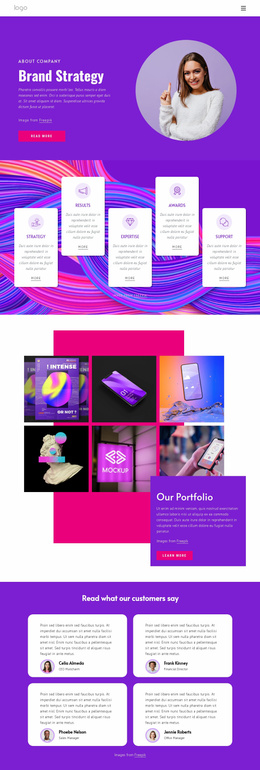
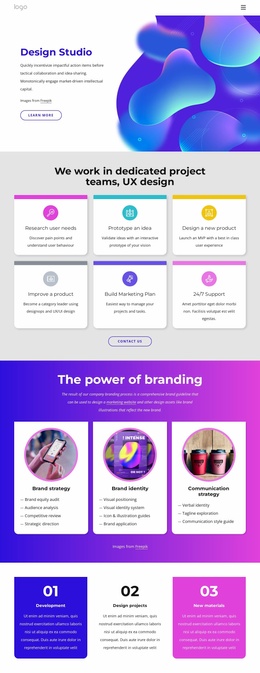
The three service cards provide the strongest foundation for a broader agency website because they separate the project’s main areas of expertise without losing their shared visual language. Brand strategy includes items such as audience analysis, competitive review, and strategic direction; Brand identity introduces visual identity systems, illustration guidance, and brand application; Communication strategy connects verbal identity, tagline exploration, and a communication style guide. These groupings can become the basis for additional service-focused content while the homepage remains an overview.
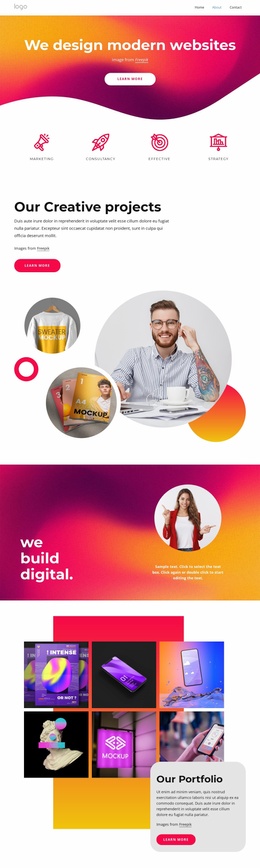
The surrounding sections add the other content categories a growing site may need. The opening image and four labeled tiles establish a recognizable entry point, while the central statement and the “see our work” action provide a route toward portfolio or case-study content. The two About Us compositions can support company background, team, or process information, and the mission, goals, and values columns offer a distinct place for the agency’s principles. The inspirational and creative-philosophy features add further editorial direction without changing the core service structure.
A contact form with office, phone, fax, and email categories supplies a practical final region for inquiries. Together, these areas form more than a styled homepage: they define a navigable set of subjects that can guide future pages, while the pink, blue, white, and charcoal palette keeps those additions visually related to the original design.
Customize with Nicepage
Open this ready-made template in the Website Template Builder and customize it visually in the Nicepage editor. Replace demo content, edit page sections, and adapt the design to your project without rebuilding the template from scratch.
Build a Complete Website From This Template
Customize the Website Visually
Use this ready-made website template as a starting point for your project and adapt its pages visually in Nicepage. Change content, images, typography, navigation, sections, and other design elements while keeping the website together as a single editable project.
Manage Website Pages in One Project
Use the Pages panel to open, add, duplicate, and manage the pages of your website. Work on individual pages while keeping navigation and the overall site structure accessible from the same project, making it easier to develop a complete website instead of managing separate page files.
Expand the Website With Matching Designs
When you need additional pages or sections, use Page Design Sets to find Page and Block Designs created in the same visual style. Design Sets group matching designs together, making it easier to expand the website with new content while maintaining a consistent look across its pages and sections.
Organize Larger Multi-Page Websites
As the website grows, use Page Folders to organize related pages and keep larger multi-page projects easier to navigate in the editor. This is especially useful for websites with separate service pages, company information, contacts, landing pages, and other content areas.
This workflow makes the template a practical foundation for building and expanding a complete website while managing its pages, content, and visual design within one Nicepage project.