Green Garden Website Design


Muted Botanical Imagery Establishes a Visual Direction
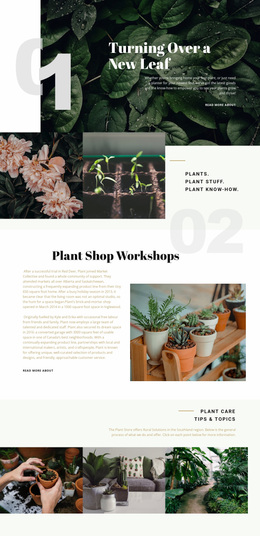
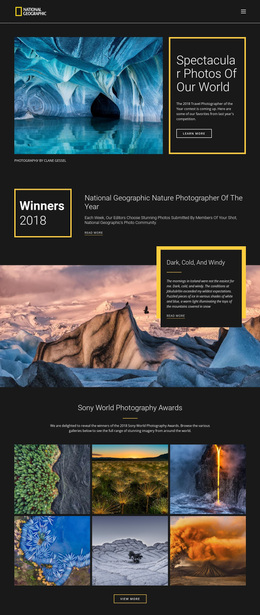
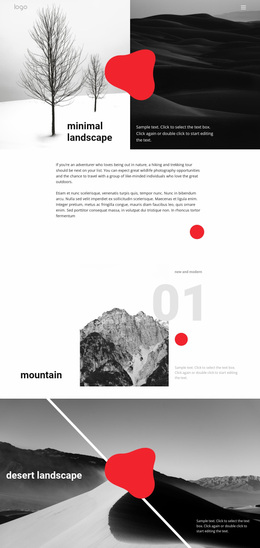
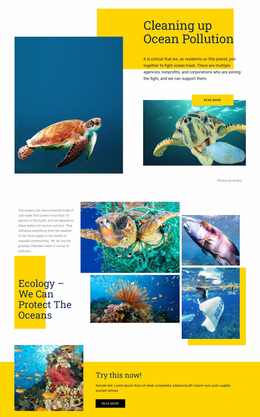
The block's visual language comes from the relationship between its imagery and restrained interface treatment. A large architectural garden photograph occupies the left side, while a close-up flower portrait appears in the narrower right area above the Green Garden heading and Read More button. The contrast between broad scene and concentrated detail gives the section a recognizable botanical character without relying on bright color or dense decoration.
Soft lavender and cream provide the surrounding color relationship, allowing the muted photographs to remain the strongest visual material. The serif heading adds an editorial note, and the outlined rectangular button repeats the controlled, understated approach rather than competing with the images through a heavy fill. These choices can contribute to a wider website design language when related sections use compatible image treatment, typography, or accent restraint.
One block cannot define every page's identity, but it can provide a useful reference for visual consistency. Nicepage's Theme Settings support broader color coordination, while the Green Garden section itself can retain its specific split balance, garden imagery, serif heading, and outlined action as a distinct expression within the larger project.
Customize with Nicepage
Open this ready-made template in the Website Design Builder and customize it visually in the Nicepage editor. Replace demo content, edit page sections, and adapt the design to your project without rebuilding the template from scratch.
Edit Template Offline
2. Create a new page or select existing
3. Click Add new block, search for id 83049 and click enter
Edit Template Online
Create Awesome Websites


Free Nicepage Builder
Keywords
Connect This Block to a Consistent Website Design
Apply a Shared Visual Language
Use Theme Settings to coordinate Colors, Fonts, and Typography across the broader website. A block can express the same visual language through its backgrounds, text hierarchy, image treatment, buttons, cards, icons, and spacing without claiming that one section defines the entire site's identity.
Keep Repeated Treatments Consistent
When the block contains repeated items or distinctive accents, align those choices with the broader project. Shared typography, color roles, button styles, and image treatments can help a service, testimonial, pricing, or gallery block feel connected to other pages and sections.
Add Motion Only When It Supports the Section
Use Animation Effects when movement genuinely helps present the block's content. Effects can be applied to elements or Containers, but animation should remain secondary to the section's verified content and visual hierarchy.
This workflow lets one block contribute to a consistent website design while site-wide identity continues to be defined by the broader set of pages, sections, and shared style rules.