Life-changing art programs Website Design


Blue, White, and Repeated Card Details Establish a Visual Language
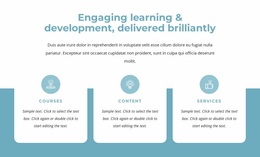
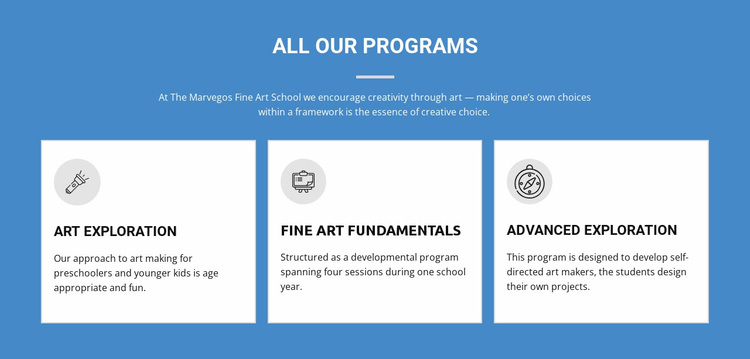
The section’s visual language comes from the relationship between a saturated blue field and three white program cards. The contrast gives the programs immediate presence, while dark text maintains a strong reading layer inside each card. Light gray circular icons repeat above the titles, creating a shared marker for Art Exploration, Fine Art Fundamentals, and Advanced Exploration without requiring different decorative systems for each offering.
The centered uppercase “all our programs” heading and short divider introduce a typographic rhythm that differs from the left-aligned card descriptions below. Generous vertical spacing separates the general message from the individual offerings, and thin borders define the cards with a restrained finish. Together, these choices produce a visual direction based on clarity, repetition, and controlled contrast rather than on complex interaction.
Within a broader Website Design project, this block can contribute recognizable style cues that other sections may echo: a strong background color, light content surfaces, circular icon treatments, and consistent border and spacing decisions. One section does not define the entire site, but it provides a concrete example of how program content can be presented as a unified visual system. Related blocks can coordinate with these cues while preserving their own content roles and layouts.
Customize with Nicepage
Open this ready-made template in the Website Design Builder and customize it visually in the Nicepage editor. Replace demo content, edit page sections, and adapt the design to your project without rebuilding the template from scratch.
Edit Template Offline
2. Create a new page or select existing
3. Click Add new block, search for id 71421 and click enter
Edit Template Online
Create Awesome Websites


Free Nicepage Builder
Keywords
Create a Consistent Design Across the Website
Define a Site-Wide Visual Style
Use Theme Settings to establish the visual foundation of the website across its pages and sections. Set global Colors, Fonts, and Typography so the site follows the same design direction instead of styling each page independently.
Coordinate Colors and Typography
Choose a color scheme and font combination that fit the character of the website, then fine-tune Headings H1-H6, regular Text, links, buttons, quotes, lists, and other typography styles. Consistent use of these settings helps create a clear visual hierarchy and keeps recurring design elements recognizable throughout the website.
Add Motion and Interaction
Use Animation Effects to make the website design more dynamic and interactive. Elements and Containers can use effects such as Run On Display, Animation On Hover, and Animation Sync With Scroll to introduce content as visitors move through the site or respond to user interaction. Animation Presets provide ready-made effects that can be adapted to the visual style of the website.
Keep the Website Visually Consistent
Apply the same design direction to shared website elements such as the Header, Menu, and Footer. The Theme Settings Panel brings common site-wide styling controls together, making it easier to maintain a coordinated look as the website expands across multiple pages.
This workflow makes the template a useful starting point for creating a website with a consistent visual identity, coordinated colors and typography, shared design rules, and interactive effects across its pages.