Beard sculpting and facials Website Design


Muted Gold Details Unify the Grooming Service Row
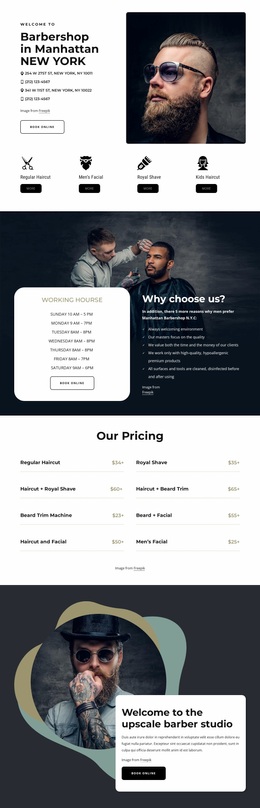
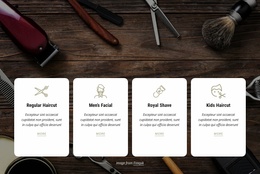
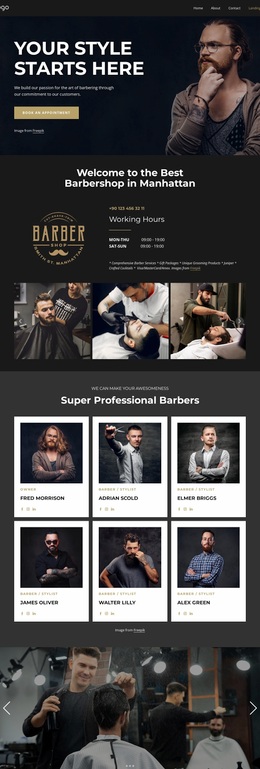
The block’s visual language comes from the contrast between its dark photographic banner and the clean white card area beneath it. The large condensed white “Our Services” heading reads clearly over the barbering image, giving the section an editorial introduction before the repeated service content begins. Below, the four cards use a shared white surface, thin gray border, rounded corners, and centered alignment, so Regular Haircut, Men’s Facial, Royal Shave, and Kids Haircut appear as related parts of one offering system.
Line-style grooming icons add a consistent illustrative treatment above each bold title. Italic supporting text introduces a softer typographic variation, while muted gold accents provide a restrained highlight that can be echoed in nearby elements if the wider project uses the same visual direction. Generous white space is equally important: it separates the cards and protects the centered hierarchy from becoming dense, even though four offerings are shown side by side.
As a Website Design interpretation, the section can contribute a recognizable visual language to a broader grooming or beauty project. It does not establish every site-wide color, font, or component, but it offers concrete cues that other sections could coordinate with: dark photographic imagery, white content surfaces, fine borders, rounded card corners, line icons, and muted gold emphasis. The block’s value lies in how those treatments work together around service content, creating continuity without requiring the rest of the site to duplicate the exact arrangement.
Customize with Nicepage
Open this ready-made template in the Website Design Builder and customize it visually in the Nicepage editor. Replace demo content, edit page sections, and adapt the design to your project without rebuilding the template from scratch.
Edit Template Offline
2. Create a new page or select existing
3. Click Add new block, search for id 2472749 and click enter
Edit Template Online
Create Awesome Websites


Free Nicepage Builder
Keywords
Create a Consistent Design Across the Website
Define a Site-Wide Visual Style
Use Theme Settings to establish the visual foundation of the website across its pages and sections. Set global Colors, Fonts, and Typography so the site follows the same design direction instead of styling each page independently.
Coordinate Colors and Typography
Choose a color scheme and font combination that fit the character of the website, then fine-tune Headings H1-H6, regular Text, links, buttons, quotes, lists, and other typography styles. Consistent use of these settings helps create a clear visual hierarchy and keeps recurring design elements recognizable throughout the website.
Add Motion and Interaction
Use Animation Effects to make the website design more dynamic and interactive. Elements and Containers can use effects such as Run On Display, Animation On Hover, and Animation Sync With Scroll to introduce content as visitors move through the site or respond to user interaction. Animation Presets provide ready-made effects that can be adapted to the visual style of the website.
Keep the Website Visually Consistent
Apply the same design direction to shared website elements such as the Header, Menu, and Footer. The Theme Settings Panel brings common site-wide styling controls together, making it easier to maintain a coordinated look as the website expands across multiple pages.
This workflow makes the template a useful starting point for creating a website with a consistent visual identity, coordinated colors and typography, shared design rules, and interactive effects across its pages.