Innovative Paths to Progress Website Design


Edit Template Offline
2. Create new page and search for id 6527747
Edit Template Online
Create Awesome Websites


Free Nicepage Builder
Keywords
Gradient Contrast and Research Imagery Define the Brand Direction
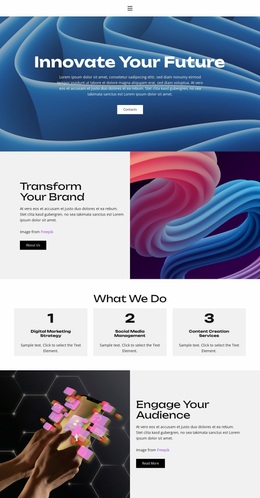
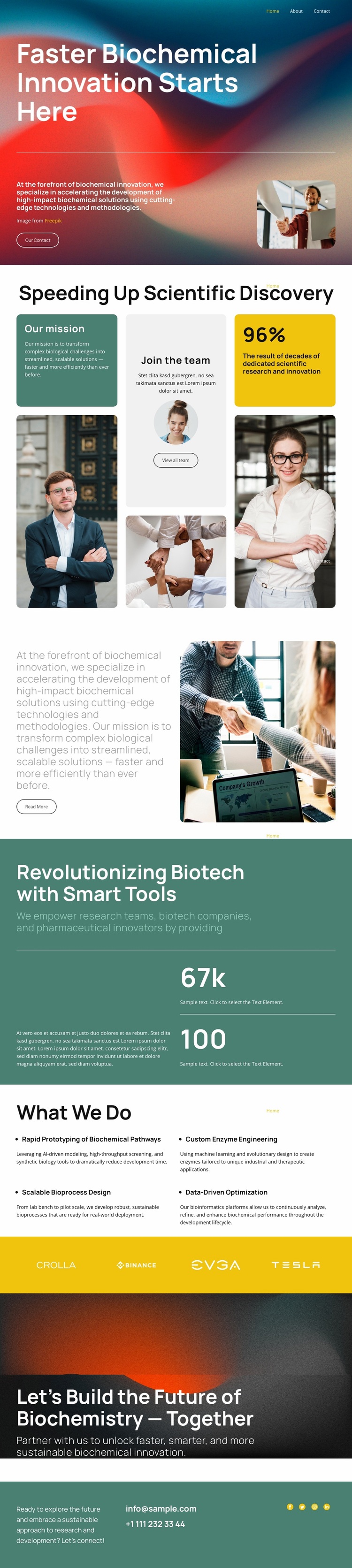
Abstract red, blue, and teal gradients establish the strongest visual signal in the design, beginning behind the large white hero typography and returning in the dark closing section. That contrast makes the opening message and the invitation to build the future of biochemistry together feel related, even though the sections serve different moments in the page. Teal also appears as a substantial content band and footer treatment, giving the palette a stable base beneath the more energetic gradient areas.
The imagery reinforces the same identity without relying on decorative visuals alone. A portrait supports the opening statement, laboratory photography anchors the mission section, and additional professional and research images are arranged within the editorial collage near the scientific discovery content. Generous spacing keeps these image tiles and text cards from becoming a dense technical document, while the bold sans-serif treatment maintains a direct, contemporary voice.
The four capability labels in the What We Do section provide a more restrained counterpoint to the expressive backgrounds. A bright yellow strip of brand marks then acts as a deliberate accent and visual separator before the final CTA. Together, the palette, imagery, typography, and repeated contrast rules create a recognizable biotechnology design language that can guide related pages without depending on one isolated hero section.
Customize with Nicepage
Open this ready-made template in the Website Design Builder and customize it visually in the Nicepage editor. Replace demo content, edit page sections, and adapt the design to your project without rebuilding the template from scratch.
Create a Consistent Design Across the Website
Define a Site-Wide Visual Style
Use Theme Settings to establish the visual foundation of the website across its pages and sections. Set global Colors, Fonts, and Typography so the site follows the same design direction instead of styling each page independently.
Coordinate Colors and Typography
Choose a color scheme and font combination that fit the character of the website, then fine-tune Headings H1-H6, regular Text, links, buttons, quotes, lists, and other typography styles. Consistent use of these settings helps create a clear visual hierarchy and keeps recurring design elements recognizable throughout the website.
Add Motion and Interaction
Use Animation Effects to make the website design more dynamic and interactive. Elements and Containers can use effects such as Run On Display, Animation On Hover, and Animation Sync With Scroll to introduce content as visitors move through the site or respond to user interaction. Animation Presets provide ready-made effects that can be adapted to the visual style of the website.
Keep the Website Visually Consistent
Apply the same design direction to shared website elements such as the Header, Menu, and Footer. The Theme Settings Panel brings common site-wide styling controls together, making it easier to maintain a coordinated look as the website expands across multiple pages.
This workflow makes the template a useful starting point for creating a website with a consistent visual identity, coordinated colors and typography, shared design rules, and interactive effects across its pages.