Minimalist Home Decor Furniture CSS Template


Edit Template Offline
2. Create new page and search for id 6667771
Edit Template Online
Create Awesome Websites


Free Nicepage Builder
Keywords
Terracotta Accents and Spacious Product Styling
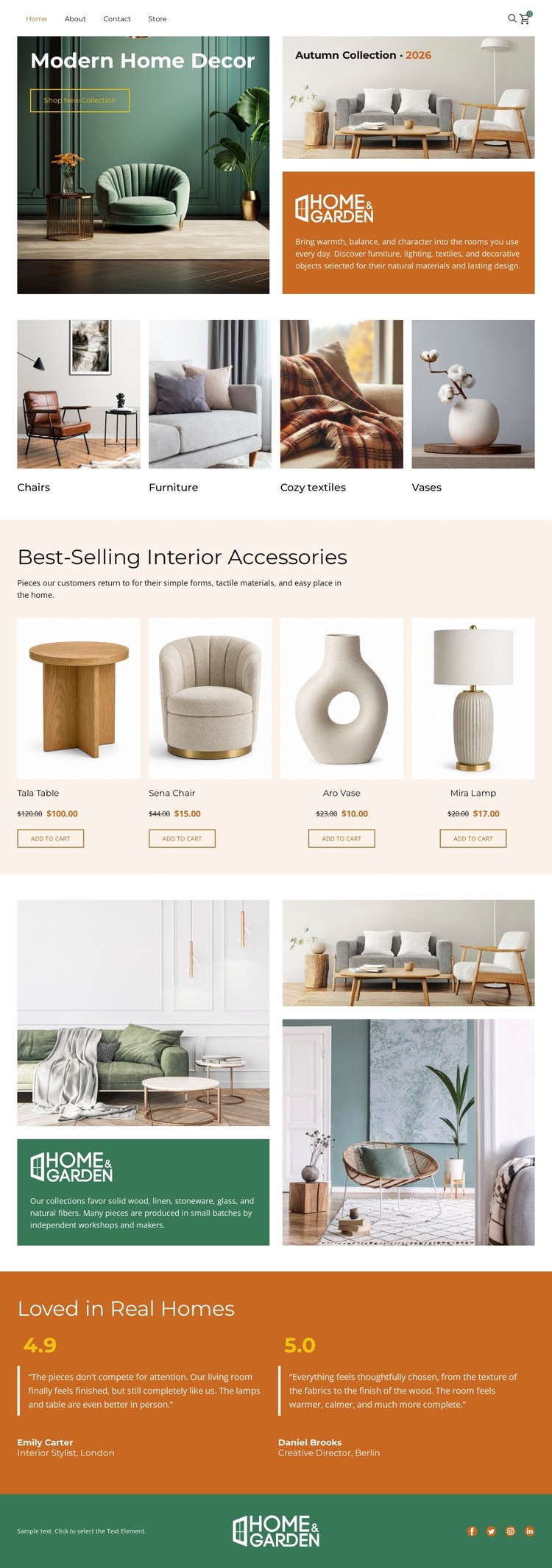
Terracotta orange and dark green accents establish the strongest visual contrast across this home decor design, while warm neutral surfaces keep the presentation calm. The large interior photograph gives the opening area visual weight, and the spacious arrangement prevents the promotional message from competing with the imagery. Serif-inspired display typography adds an editorial note to headings such as Modern Home Decor and Best-Selling Interior Accessories.
The four category tiles use a repeated image-led treatment to make Chairs, Furniture, Cozy textiles, and Vases feel like parts of one visual system. The product cards continue that system with consistent image, name, price area, and purchase-action zones, so the catalog remains easy to scan without becoming visually dense. The terracotta promotional panel beside the interior collage provides a controlled color change rather than introducing a separate style direction. A similarly colored testimonial band helps connect the two rated review blocks to the rest of the page, while the compact footer and social icons close the composition without adding another competing visual layer. These concrete styling rules make the design suitable for adjusting colors, spacing, typography, borders, and image treatment while preserving its recognizable home-lifestyle character.
Customize with Nicepage
Open this ready-made template in the CSS Template Builder and customize it visually in the Nicepage editor. Replace demo content, edit page sections, and adapt the design to your project without rebuilding the template from scratch.
Customize This Template With CSS
Control Page-Specific Styling
Customize the visual appearance of this ready-made template directly in the Nicepage editor. Adjust typography, spacing, backgrounds, borders, colors, positioning, and other style properties using visual controls while keeping the page layout easy to manage without writing CSS manually.
Add Custom CSS When Needed
For styling requirements that go beyond the standard editor options, use Custom CSS to add targeted rules. CSS can be applied to individual elements, specific pages, or the entire website depending on the scope of the customization, while CSS classes can be used to connect custom rules with selected elements.
Export Minimal CSS Per Page
For projects where CSS size and page performance matter, Nicepage can export minimal CSS for each page. Instead of relying on one larger common stylesheet, each page can use a separate CSS file containing only the style rules required for that particular page. According to Nicepage documentation, these page-specific CSS files can be about ten times more compact, helping reduce unnecessary CSS and improve page loading performance.
This workflow combines visual styling with optional custom CSS and optimized page-specific CSS output, giving you additional control when a project requires it without making manual CSS editing the primary way to customize the template.