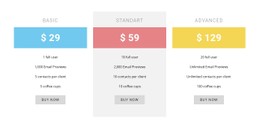
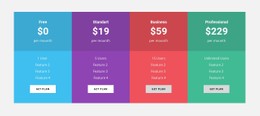
Creative pricing block design CSS Template


Deep Purple Contrast Frames the Two Pricing Cards
The deep purple background establishes the visual field for the section, allowing the white rounded cards to read as two distinct pricing choices. The large “Let’s get started” heading and smaller supporting copy form a vertically centered text column on the left, while the Startup and Pro cards create a compact comparison area on the right. This split relationship is important to the styling: the introduction should remain visually supportive, not compete with the plan details.
The cards use generous spacing, compact typography, rounded corners, and pill-shaped action buttons. Those treatments help separate the feature lists from the plan names and price or quote presentation while keeping both alternatives visibly related. The Startup card’s monthly price and Try Now action can receive one consistent emphasis, whereas the Pro card’s quote-based wording and Setup a call action can use the same visual rules with a different content role. In a CSS Template context, these are styling decisions within one pricing block: color contrast, card surfaces, spacing, corner radius, typography scale, and button treatment can be refined without changing the two-plan comparison.
Customize with Nicepage
Open this ready-made template in the CSS Template Builder and customize it visually in the Nicepage editor. Replace demo content, edit page sections, and adapt the design to your project without rebuilding the template from scratch.
Edit Template Offline
2. Create a new page or select existing
3. Click Add new block, search for id 2958494 and click enter
Edit Template Online
Create Awesome Websites


Free Nicepage Builder
Keywords
Customize This Template With CSS
Control Page-Specific Styling
Customize the visual appearance of this ready-made template directly in the Nicepage editor. Adjust typography, spacing, backgrounds, borders, colors, positioning, and other style properties using visual controls while keeping the page layout easy to manage without writing CSS manually.
Add Custom CSS When Needed
For styling requirements that go beyond the standard editor options, use Custom CSS to add targeted rules. CSS can be applied to individual elements, specific pages, or the entire website depending on the scope of the customization, while CSS classes can be used to connect custom rules with selected elements.
Export Minimal CSS Per Page
For projects where CSS size and page performance matter, Nicepage can export minimal CSS for each page. Instead of relying on one larger common stylesheet, each page can use a separate CSS file containing only the style rules required for that particular page. According to Nicepage documentation, these page-specific CSS files can be about ten times more compact, helping reduce unnecessary CSS and improve page loading performance.
This workflow combines visual styling with optional custom CSS and optimized page-specific CSS output, giving you additional control when a project requires it without making manual CSS editing the primary way to customize the template.