A great trail running CSS Template


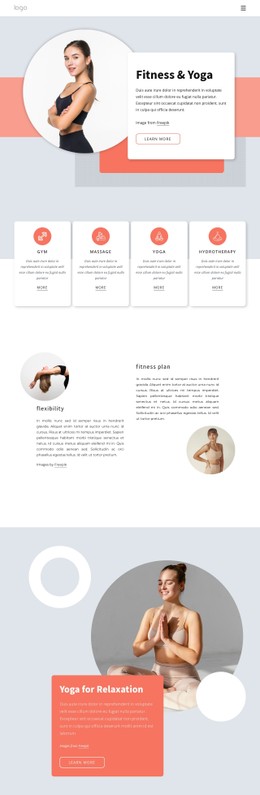
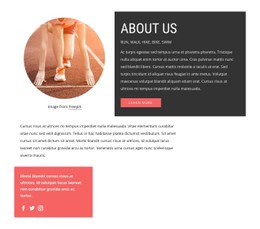
Circular Photography and Red Geometry Shape the Section
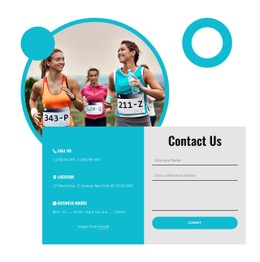
The circular photograph gives the left side an immediate focal point, while the red rectangle and regular dotted pattern add movement without introducing another content group. Against the white background, these shapes remain clearly separated from the right-hand text column. The small uppercase running club label, bold heading, compact paragraph, image credit line, and red read more button form a measured hierarchy: context first, subject second, explanation third, and action last.
For a CSS Template interpretation, the useful question is how these visual rules hold the block together. The circular crop can be reviewed as the main image treatment, while the rectangle and dots act as supporting accents rather than competing illustrations. Typography, alignment, whitespace, button color, shape placement, and image proportions can therefore be adjusted as a coordinated style system for this section. The block keeps its about-oriented running message while the appearance is refined around the existing content relationships.
The result is a styling-focused section for a broader page, not a complete site design. Its strongest visual signature comes from the contrast between the restrained white field, black typography, bright red accent, and layered sports photograph. Those choices can guide related sections without requiring every surrounding block to duplicate the same composition.
Customize with Nicepage
Open this ready-made template in the CSS Template Builder and customize it visually in the Nicepage editor. Replace demo content, edit page sections, and adapt the design to your project without rebuilding the template from scratch.
Edit Template Offline
2. Create a new page or select existing
3. Click Add new block, search for id 198882 and click enter
Edit Template Online
Create Awesome Websites


Free Nicepage Builder
Keywords
Customize This Template With CSS
Control Page-Specific Styling
Customize the visual appearance of this ready-made template directly in the Nicepage editor. Adjust typography, spacing, backgrounds, borders, colors, positioning, and other style properties using visual controls while keeping the page layout easy to manage without writing CSS manually.
Add Custom CSS When Needed
For styling requirements that go beyond the standard editor options, use Custom CSS to add targeted rules. CSS can be applied to individual elements, specific pages, or the entire website depending on the scope of the customization, while CSS classes can be used to connect custom rules with selected elements.
Export Minimal CSS Per Page
For projects where CSS size and page performance matter, Nicepage can export minimal CSS for each page. Instead of relying on one larger common stylesheet, each page can use a separate CSS file containing only the style rules required for that particular page. According to Nicepage documentation, these page-specific CSS files can be about ten times more compact, helping reduce unnecessary CSS and improve page loading performance.
This workflow combines visual styling with optional custom CSS and optimized page-specific CSS output, giving you additional control when a project requires it without making manual CSS editing the primary way to customize the template.