Business competition Website Mockup



The Two-Column Balance Is the Main Responsive Review Point
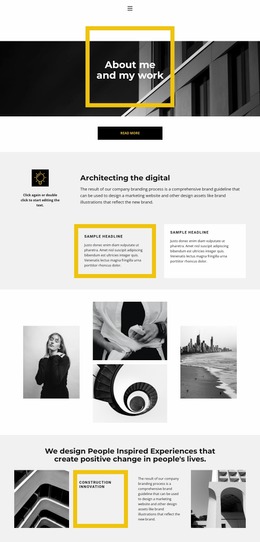
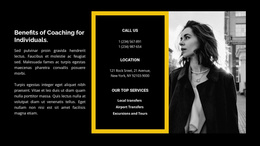
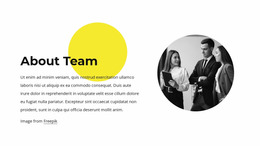
The section depends on the visual balance between a centered text column and a framed image column. The left side contains the heading, yellow-highlighted final word, supporting paragraph, and “read more” action, while the right side gives the grayscale city traffic image equal structural importance. On narrower screens, the key review question is how those two regions reorganize: the text must remain readable, the action must stay identifiable, and the image must retain enough scale to support the message without creating excessive vertical length.
The yellow frame deserves separate attention during visual review because its thickness and proportions affect the image’s weight. If the image narrows or moves beneath the text, the frame should continue to read as an intentional treatment rather than an awkward border. The bold black heading may also wrap differently, changing the balance created by the highlighted final word. Generous whitespace should be preserved where possible so the section does not become crowded after stacking.
Nicepage’s Responsive Modes can help inspect the same block across large screens, tablets, and phones. The useful mockup task is not to add new behavior, but to evaluate how the heading, paragraph, action, image, frame, and accent relationship respond to changes in width.
Customize with Nicepage
Open this ready-made template in the Website Mockup Builder and customize it visually in the Nicepage editor. Replace demo content, edit page sections, and adapt the design to your project without rebuilding the template from scratch.
Edit Template Offline
2. Create a new page or select existing
3. Click Add new block, search for id 869464 and click enter
Edit Template Online
Create Awesome Websites


Free Nicepage Builder
Keywords
Preview and Refine This Website Mockup
Review the Design Across Devices
Use Responsive Modes to see how the website design appears on Large Screens, Desktops, Laptops, Tablets, and Phones. Switch between the available views to compare the same layout at different screen widths and review how typography, images, spacing, navigation, and other content adapt to each device.
Adapt the Mockup for Different Screens
Nicepage provides responsive web design tools for adjusting individual device views when the initial layout needs refinement. You can customize Mobile Views separately, change element sizes and positions, adapt Grids, Lists, and Galleries, and hide selected Elements or Blocks on particular screen sizes. This makes it possible to develop a responsive website mockup instead of evaluating the design at only one fixed desktop size.
Preview the Website Without Editing Controls
Use Live Page / Preview to review the design with the editing interface removed from view. Instant Preview can hide the Page Navigator, Property Panel, selections, and frames, making it easier to evaluate the overall presentation, content hierarchy, and responsive layout as a visitor would see them.
This workflow makes the template useful as a responsive website mockup for visualizing, comparing, and refining how the same website design will appear across different screen sizes.