Artful Image Creation Web Page Design


Edit Template Offline
2. Create new page and search for id 6350149
Edit Template Online
Create Awesome Websites


Free Nicepage Builder
Keywords
Asymmetrical Galleries Create a Deliberate Page Rhythm
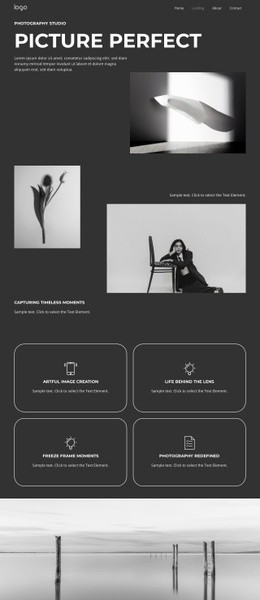
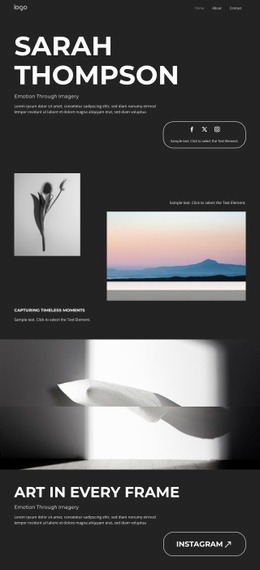
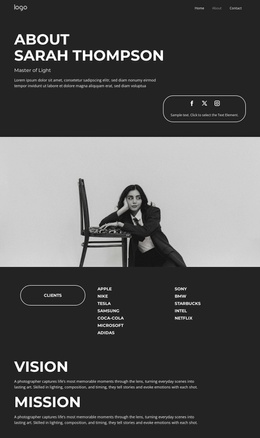
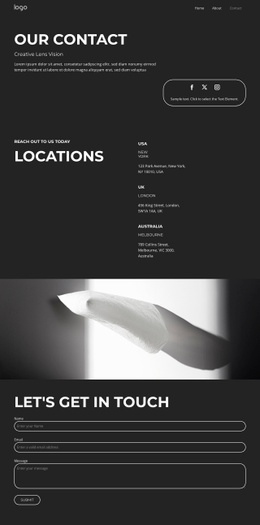
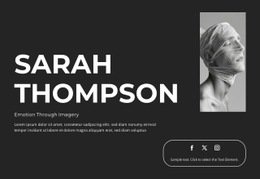
The page composition begins with a compact left-aligned hero that combines the photographer name, introductory copy, navigation, and a small outlined action. This concentrated opening is followed by an asymmetrical gallery in which a smaller portrait image sits beside a larger landscape image. The change from text-led introduction to unequal image scale creates an immediate shift in attention and establishes the portfolio as a visual experience rather than a sequence of uniform cards.
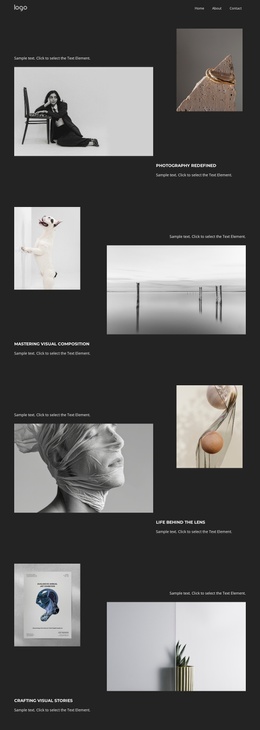
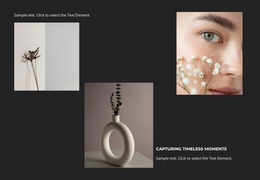
A full-width monochrome photograph then expands the page across the available canvas. Its supporting heading and text restore a narrower reading focus before the composition opens again into a horizontal gallery of four images. The later sequence includes abstract, object, portrait, botanical, and beauty subjects with captions, so the visitor encounters both visual breadth and smaller points of interpretation. Generous spacing between these areas prevents the different image groups from merging into one dense strip.
The final contact area changes the page’s role once more. Instagram and Booking buttons sit beneath the portfolio presentation, giving the visitor clear destinations after the work has been viewed, while the footer line provides a restrained endpoint. Home, Work, and Contact navigation remains compact enough to support orientation without interrupting the image rhythm. These transitions between compact text, contrasting image scales, full-width emphasis, and closing actions are what make the design effective as one composed web page.
Customize with Nicepage
Open this ready-made template in the Web Page Design Builder and customize it visually in the Nicepage editor. Replace demo content, edit page sections, and adapt the design to your project without rebuilding the template from scratch.
Design a Web Page Section by Section
Choose a Design for Each Section
Build the page from individual content sections instead of starting with a fixed full-page layout. Use Block Designs to browse ready-made sections for different purposes, including introductions, services, galleries, testimonials, contact forms, pricing, and other common parts of a web page. Search or filter the available designs to find a layout that fits the content you want to add.
Combine Blocks and Page Elements
Add selected Blocks to the page and arrange them in the order that supports the page's purpose. A hero section can introduce the main message, followed by services, benefits, portfolio content, testimonials, calls to action, or contact information.
Inside each section, use Web Page Elements such as Text, Image, Hyperlink, Grid, Gallery, and other elements to build and present the page content. Individual elements can be added and adjusted within the Blocks, giving you more control over the composition of each section without having to create the complete layout from scratch.
Refine the Page Layout and Flow
After assembling the main sections, adjust their content, spacing, backgrounds, images, typography, and element placement in the Nicepage editor. Reorder Blocks when necessary and refine the transition from one section to the next so the information hierarchy and visual flow remain clear throughout the page.
This workflow makes the template useful as a web page design that can be composed from ready-made sections, customized with individual page elements, rearranged, and adapted to the content and purpose of an individual page.