Prevention, diagnosis, treatment Web Page Design


The Central Portrait Controls the Page Rhythm
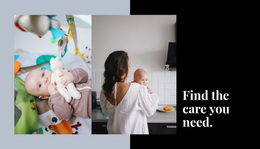
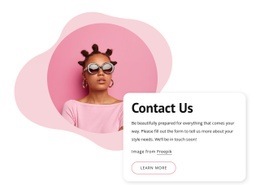
The central portrait acts as the compositional hinge between the two text areas. On the left, the large blue serif heading creates a strong entry point through the phrase “Find the care you need.” On the right, the supporting paragraph carries denser information about technology, doctors, treatments, and procedures. This division gives the block a deliberate reading path: a broad statement first, a human visual reference second, and more compact explanation last.
The asymmetry is reinforced by the bright blue background shape behind the white content composition. Rather than placing all information in an even grid, the design uses the tall portrait to separate unequal text masses and create visual balance. Rounded rectangular styling softens the strong color contrast, while generous white space gives each region enough room to remain legible. The static interaction keeps the emphasis on spatial relationships instead of movement or progressive disclosure.
Within one webpage, this block can function as an introductory transition between a broader opening message and later healthcare content. It has enough internal identity to read as one recognizable section, but its composition also leaves room for neighboring sections to provide service details, proof, or contact information. The key page-design decision is to preserve the contrast between the large left heading, the narrow central image, and the more information-dense right paragraph so the section does not lose its intended rhythm when placed among other blocks.
Customize with Nicepage
Open this ready-made template in the Web Page Design Builder and customize it visually in the Nicepage editor. Replace demo content, edit page sections, and adapt the design to your project without rebuilding the template from scratch.
Edit Template Offline
2. Create a new page or select existing
3. Click Add new block, search for id 63369 and click enter
Edit Template Online
Create Awesome Websites


Free Nicepage Builder
Keywords
Design a Web Page Section by Section
Choose a Design for Each Section
Build the page from individual content sections instead of starting with a fixed full-page layout. Use Block Designs to browse ready-made sections for different purposes, including introductions, services, galleries, testimonials, contact forms, pricing, and other common parts of a web page. Search or filter the available designs to find a layout that fits the content you want to add.
Combine Blocks and Page Elements
Add selected Blocks to the page and arrange them in the order that supports the page's purpose. A hero section can introduce the main message, followed by services, benefits, portfolio content, testimonials, calls to action, or contact information.
Inside each section, use Web Page Elements such as Text, Image, Hyperlink, Grid, Gallery, and other elements to build and present the page content. Individual elements can be added and adjusted within the Blocks, giving you more control over the composition of each section without having to create the complete layout from scratch.
Refine the Page Layout and Flow
After assembling the main sections, adjust their content, spacing, backgrounds, images, typography, and element placement in the Nicepage editor. Reorder Blocks when necessary and refine the transition from one section to the next so the information hierarchy and visual flow remain clear throughout the page.
This workflow makes the template useful as a web page design that can be composed from ready-made sections, customized with individual page elements, rearranged, and adapted to the content and purpose of an individual page.