Welcome to beauty salon Web Page Design


The Offset Collage Establishes a Strong Mid-Page Rhythm
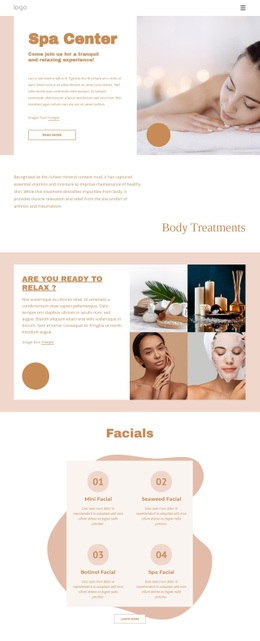
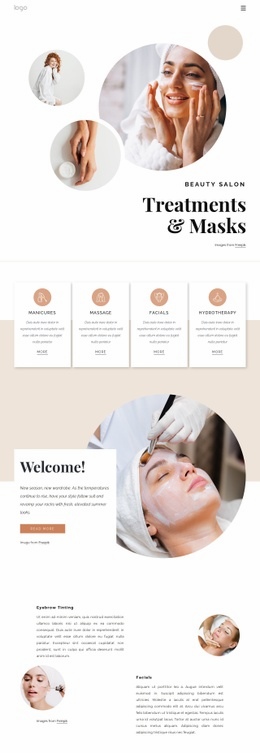
The three treatment photographs carry visual weight on one side of the section, while the white text panel concentrates the information on the other. This asymmetrical relationship gives the page composition a clear entry point: the eye can move from the offset image shapes to the large serif “Our Values” heading, then through the supporting paragraph and toward the dark rounded “Learn More” button. The attribution line remains subordinate within the same vertical panel.
The composition also controls content density. Instead of placing laser treatments, medical facials, and science-backed ingredients into separate cards, the block keeps those references inside one explanatory message. The images provide variety without creating additional navigation or interaction, because the block is static. That makes the section suitable as a visually substantial transition between broader page areas, such as an introduction and more detailed treatment information.
The warm beige background accent helps frame the white panel and prevents the collage from appearing disconnected from the surrounding page. At narrower placements, the relationship between the image group and text group deserves attention so the heading, paragraph, attribution, and button retain their order and readability. Used as one web-page composition, the block contributes a distinct visual pause while leaving neighboring sections responsible for the rest of the page structure.
Customize with Nicepage
Open this ready-made template in the Web Page Design Builder and customize it visually in the Nicepage editor. Replace demo content, edit page sections, and adapt the design to your project without rebuilding the template from scratch.
Edit Template Offline
2. Create a new page or select existing
3. Click Add new block, search for id 5790584 and click enter
Edit Template Online
Create Awesome Websites


Free Nicepage Builder
Keywords
Design a Web Page With This Block as One Section
Place the Block in the Page Composition
Use Block Designs to combine individual sections into a complete page. The analyzed block contributes one part of that composition, while other sections can handle the introduction, services, proof, portfolio, pricing, contact, or other page-level needs.
Refine the Elements Inside the Block
Use Web Page Elements such as Text, Image, Hyperlink, Grid, Gallery, and other elements to refine the section's content. Adjust the existing elements without assuming that one block must carry the entire page structure.
Balance the Section With Neighboring Content
After the block is placed, refine its spacing, image scale, text density, alignment, and background treatment so the transition into and out of the section feels intentional. Reorder Blocks at the page level when necessary while keeping the internal composition of each section coherent.
This workflow treats the block as one compositional unit in a web page: internally designed, visually distinct, and coordinated with the sections around it.