Popular delivery questions Web Page Design


The Right-Side Photograph Anchors a Left-Side FAQ
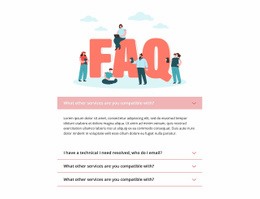
The composition depends on a deliberate split in visual responsibility. The left side concentrates the information hierarchy: a bold “FAQ” heading and supporting paragraph introduce the topic, then the four-question accordion provides the detailed content. The right side is reserved for a large rectangular photograph of a person sealing a cardboard box, giving the section a strong visual anchor without interrupting the question sequence.
This arrangement creates an asymmetrical but understandable page rhythm. The question topics move from same-day delivery to contactless service, presence during pickup or delivery, and take-out food delivery. The first answer is expanded, so the active state adds detail near the top of the list, while the other three rows remain visually lighter and preserve space. Thin horizontal rules, orange labels, and chevrons guide movement through the repeated items. Within one webpage, the block can act as a mid-page information unit between broader service content and a later contact or response section. Its contribution is compositional as much as informational: the dense text area establishes scanning and hierarchy, while the large image prevents the FAQ from reading as an uninterrupted column of controls. The surrounding page determines what comes before and after this balanced section.
Customize with Nicepage
Open this ready-made template in the Web Page Design Builder and customize it visually in the Nicepage editor. Replace demo content, edit page sections, and adapt the design to your project without rebuilding the template from scratch.
Edit Template Offline
2. Create a new page or select existing
3. Click Add new block, search for id 296762 and click enter
Edit Template Online
Create Awesome Websites


Free Nicepage Builder
Keywords
Design a Web Page With This Block as One Section
Place the Block in the Page Composition
Use Block Designs to combine individual sections into a complete page. The analyzed block contributes one part of that composition, while other sections can handle the introduction, services, proof, portfolio, pricing, contact, or other page-level needs.
Refine the Elements Inside the Block
Use Web Page Elements such as Text, Image, Hyperlink, Grid, Gallery, and other elements to refine the section's content. Adjust the existing elements without assuming that one block must carry the entire page structure.
Balance the Section With Neighboring Content
After the block is placed, refine its spacing, image scale, text density, alignment, and background treatment so the transition into and out of the section feels intentional. Reorder Blocks at the page level when necessary while keeping the internal composition of each section coherent.
This workflow treats the block as one compositional unit in a web page: internally designed, visually distinct, and coordinated with the sections around it.