Six blocks of text Web Page Design


Two Columns Turn Six Text Items Into a Balanced Page Composition
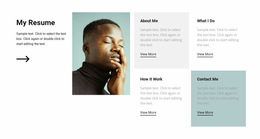
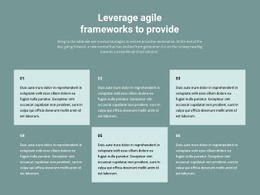
The section’s composition is defined by how six repeated text units occupy space. Three numbered cards sit in each column across three rows, creating a balanced grid that distributes recruitment-related information without making the page feel like one continuous text wall. The small bold numbers provide alignment cues, while the compact gray paragraphs keep the information density controlled within each card.
Background contrast adds a secondary compositional layer. Items one, two, and six use light-gray surfaces, while the remaining cards use white. Because the contrast is selective rather than applied to every card, it creates visual variation without breaking the shared six-item pattern. Generous whitespace between the columns and rows gives the grid room to breathe and can help the section function as a mid-page explanatory transition between broader page areas.
As one web-page design unit, the block can contribute a structured pause in the surrounding composition. Its main role is spatial and informational: it gathers related recruitment messages into a compact, scannable field. Neighboring sections can provide the page’s introduction, supporting imagery, proof, or contact content, while this block handles the repeated explanation. The design remains useful because its internal balance is clear even without a heading or interactive element.
Customize with Nicepage
Open this ready-made template in the Web Page Design Builder and customize it visually in the Nicepage editor. Replace demo content, edit page sections, and adapt the design to your project without rebuilding the template from scratch.
Edit Template Offline
2. Create a new page or select existing
3. Click Add new block, search for id 500547 and click enter
Edit Template Online
Create Awesome Websites


Free Nicepage Builder
Keywords
Design a Web Page With This Block as One Section
Place the Block in the Page Composition
Use Block Designs to combine individual sections into a complete page. The analyzed block contributes one part of that composition, while other sections can handle the introduction, services, proof, portfolio, pricing, contact, or other page-level needs.
Refine the Elements Inside the Block
Use Web Page Elements such as Text, Image, Hyperlink, Grid, Gallery, and other elements to refine the section's content. Adjust the existing elements without assuming that one block must carry the entire page structure.
Balance the Section With Neighboring Content
After the block is placed, refine its spacing, image scale, text density, alignment, and background treatment so the transition into and out of the section feels intentional. Reorder Blocks at the page level when necessary while keeping the internal composition of each section coherent.
This workflow treats the block as one compositional unit in a web page: internally designed, visually distinct, and coordinated with the sections around it.