World Cup 2018 Web Page Design


Edit Template Offline
2. Create new page and search for id 25118
Edit Template Online
Create Awesome Websites


Free Nicepage Builder
Keywords
The hero, split guides, and score grid control the page rhythm
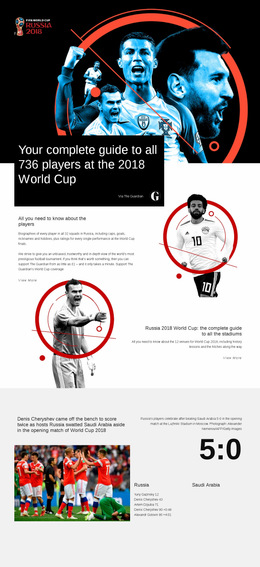
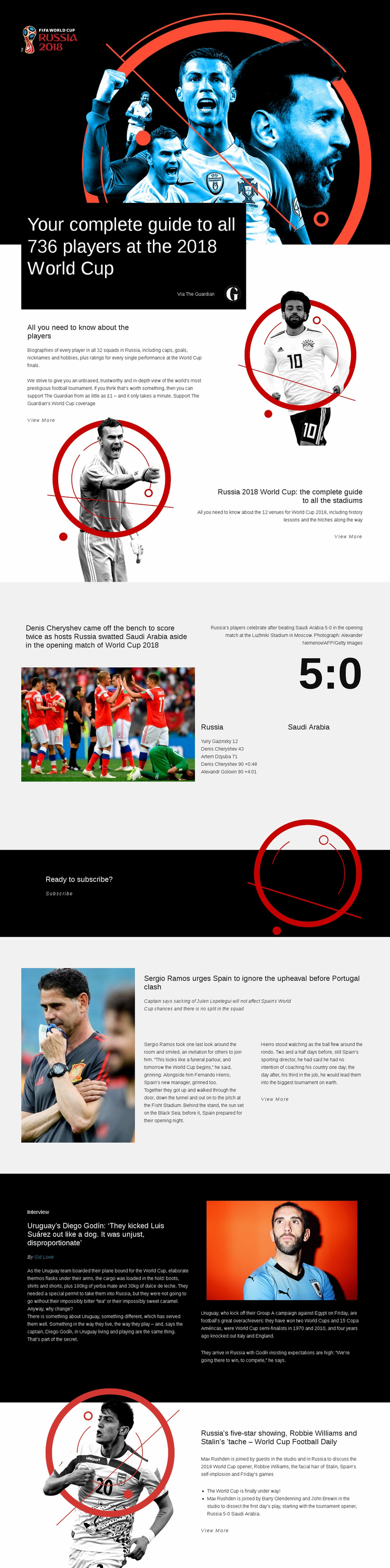
The opening composition establishes a strong visual entry by placing the complete 736-player headline over a dark, image-led football scene. Instead of continuing with another full-width image block, the page shifts into a split arrangement where explanatory player content sits beside an illustrated portrait. This change reduces the visual density of the hero while keeping the first subject prominent. The stadium guide repeats the split principle differently, using a large venue illustration beside right-aligned guide text and a View More link.
The next transition is more substantial. A grid-based match report places an action photograph, long headline, score panel, goal details, and stadium caption into one coordinated composition. The 5:0 result becomes a visual anchor rather than just another sentence in the article. Afterward, the centered subscription band compresses the page into a short message and a clear link, creating breathing room before the longer feature sections resume.
The lower split blocks vary the rhythm again. Spain team news uses portrait photography with a headline, summary, and article excerpt; the dark Diego Godín interview introduces a pull quote and supporting facts; and the Football Daily section pairs illustration with podcast-style discussion. These changes in alignment, density, background, and media treatment guide the visitor through one page without making every section feel interchangeable.
Customize with Nicepage
Open this ready-made template in the Web Page Design Builder and customize it visually in the Nicepage editor. Replace demo content, edit page sections, and adapt the design to your project without rebuilding the template from scratch.
Design a Web Page Section by Section
Choose a Design for Each Section
Build the page from individual content sections instead of starting with a fixed full-page layout. Use Block Designs to browse ready-made sections for different purposes, including introductions, services, galleries, testimonials, contact forms, pricing, and other common parts of a web page. Search or filter the available designs to find a layout that fits the content you want to add.
Combine Blocks and Page Elements
Add selected Blocks to the page and arrange them in the order that supports the page's purpose. A hero section can introduce the main message, followed by services, benefits, portfolio content, testimonials, calls to action, or contact information.
Inside each section, use Web Page Elements such as Text, Image, Hyperlink, Grid, Gallery, and other elements to build and present the page content. Individual elements can be added and adjusted within the Blocks, giving you more control over the composition of each section without having to create the complete layout from scratch.
Refine the Page Layout and Flow
After assembling the main sections, adjust their content, spacing, backgrounds, images, typography, and element placement in the Nicepage editor. Reorder Blocks when necessary and refine the transition from one section to the next so the information hierarchy and visual flow remain clear throughout the page.
This workflow makes the template useful as a web page design that can be composed from ready-made sections, customized with individual page elements, rearranged, and adapted to the content and purpose of an individual page.