Modern Fire Department One Page Template


Edit Template Offline
2. Create new page and search for id 6664207
Edit Template Online
Create Awesome Websites


Free Nicepage Builder
Keywords
Six Distinct Content Destinations Form a Continuous Emergency-Services Journey
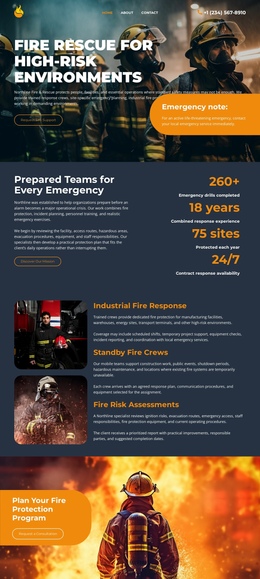
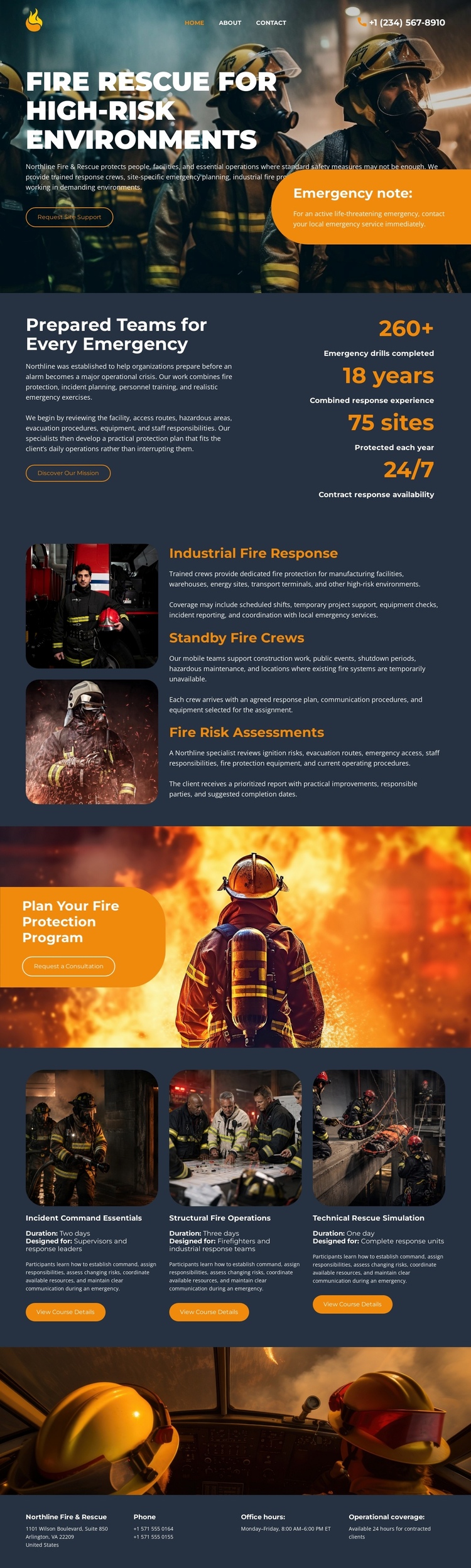
The page has a natural sequence of information zones that can be explored without separating the subject into multiple documents. The hero serves as the opening destination, introducing fire rescue for high-risk environments through a large image, emergency notice, and primary action. The prepared-team section follows with explanatory text and four displayed metrics, giving the visitor a second destination focused on capability context rather than the initial message.
The three service rows create the central content destination. Industrial fire response, standby fire crews, and fire risk assessments are grouped together but remain visually distinguishable, allowing the visitor to move through the service offering as one meaningful part of the page. The consultation panel then works as its own destination, with “Plan Your Fire Protection Program” and a request-a-consultation action clearly separated from the service explanation.
The capability grid adds another navigable region through three equal cards for Industrial Command Essentials, Structural Fire Operations, and Tactical Rescue Simulation. Finally, the closing area gathers phone, office-hours, and operational-coverage information over an emergency vehicle image. This progression supports a one-page structure based on multiple content destinations—introduction, overview, services, consultation, capabilities, and contact—rather than reducing the design to a single conversion message.
Customize with Nicepage
Open this ready-made template in the One Page Template Builder and customize it visually in the Nicepage editor. Replace demo content, edit page sections, and adapt the design to your project without rebuilding the template from scratch.
Build a Navigable One-Page Website
Connect the Menu to Page Sections
Organize the website as a sequence of sections on a single page and use the Menu For One-Page Site to connect menu items with individual page Blocks. Visitors can jump directly to sections such as About, Services, Testimonials, or Contact without opening separate pages.
Keep the Website on One URL
A one-page template can combine several parts of a small website within one continuous page. Arrange the Header, introduction, services, portfolio, company information, reviews, contact details, and other relevant sections in the order that fits the project while keeping them accessible through the same page navigation.
Make Long Pages Easier to Navigate
For longer one-page websites, keep navigation labels short and connected to meaningful sections so visitors can move through the page without relying only on scrolling. You can also use the Back To Top element to provide a quick way back to the beginning after longer sections.
This workflow makes the template suitable for compact websites that need several distinct content sections while keeping the complete visitor experience on one URL.