Digital agency anniversary One Page Template


Edit Template Offline
2. Create new page and search for id 6633719
Edit Template Online
Create Awesome Websites


Free Nicepage Builder
Keywords
Six Milestones Connect the Agency Story to Two Event Destinations
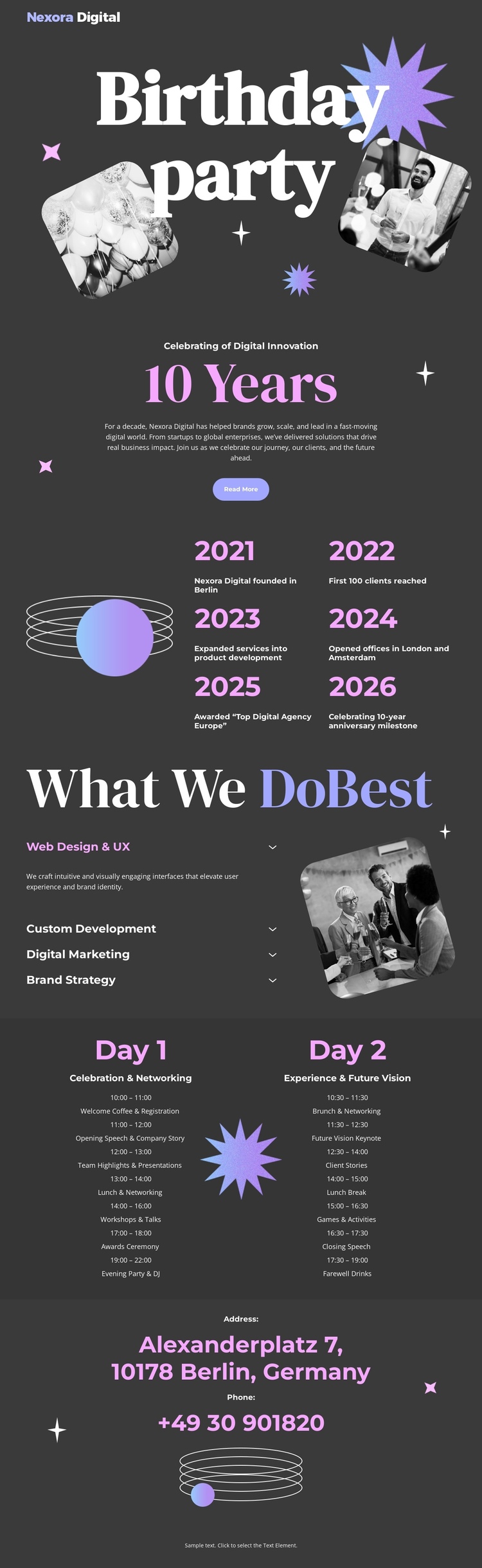
The page’s sections can be read as distinct destinations within one continuous document. The Birthday party opening introduces the anniversary with a centered headline, supporting copy, overlapping photographs, starburst graphics, and a Read More button. The next destination, 10 Years, changes from announcement to timeline-like evidence by presenting six displayed year milestones and short achievement descriptions around an abstract circular illustration.
The What We Do Best section provides a separate destination for agency capabilities. Its large heading, four labeled services, and angled photographic panel make the service information distinct from the milestone content without requiring a separate page. The schedule then creates two parallel destinations, Day 1 and Day 2, allowing visitors to distinguish the event’s parts while remaining inside the same page journey. The closing Address area serves as the final destination for the displayed Berlin location and telephone contact.
This sequence supports one-page navigation because the content has several meaningful stops: announcement, agency history, services, first event day, second event day, and contact. The sections do not need to be interpreted as separate URLs to have individual roles. Instead, the dark background, repeated accent colors, decorative graphics, and generous vertical spacing maintain continuity as visitors move from one information group to the next. The result is a single document that combines celebration, agency context, schedule information, and contact content.
Customize with Nicepage
Open this ready-made template in the One Page Template Builder and customize it visually in the Nicepage editor. Replace demo content, edit page sections, and adapt the design to your project without rebuilding the template from scratch.
Build a Navigable One-Page Website
Connect the Menu to Page Sections
Organize the website as a sequence of sections on a single page and use the Menu For One-Page Site to connect menu items with individual page Blocks. Visitors can jump directly to sections such as About, Services, Testimonials, or Contact without opening separate pages.
Keep the Website on One URL
A one-page template can combine several parts of a small website within one continuous page. Arrange the Header, introduction, services, portfolio, company information, reviews, contact details, and other relevant sections in the order that fits the project while keeping them accessible through the same page navigation.
Make Long Pages Easier to Navigate
For longer one-page websites, keep navigation labels short and connected to meaningful sections so visitors can move through the page without relying only on scrolling. You can also use the Back To Top element to provide a quick way back to the beginning after longer sections.
This workflow makes the template suitable for compact websites that need several distinct content sections while keeping the complete visitor experience on one URL.