Marketing research market One Page Template


Edit Template Offline
2. Create new page and search for id 1447640
Edit Template Online
Create Awesome Websites


Free Nicepage Builder
Keywords
Service, Mission, and Contact Sections Create a Continuous Journey
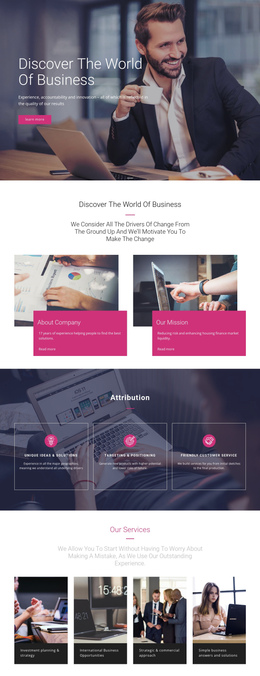
The page contains several distinct information destinations without requiring the content to be divided into separate documents. The opening navigation leads to a business introduction, and the three service cards provide a natural service destination with peer items for investment, financial planning, and debt help. The Mission & Vision tabs then keep overview, founder, and mission information together while giving that subject its own identifiable area in the longer sequence.
The following sections broaden the journey rather than repeating the service cards. A testimonial and feature arrangement introduces reassurance, the three team portraits identify people and roles, and a separate quotation panel creates another trust-oriented stop. The three-building gallery and five logo-style marks act as visual intervals before the nonprofit fundraising section presents secure payment processing and a mobile-friendly donation page as a distinct content destination.
Two forms have different positions in this continuous structure. The free-advice form appears as a prominent mid-page callout, while the quote request form is paired with support details near the end. That ordering lets visitors explore services, company information, people, proof, and related fundraising content before reaching the closing contact area. The design therefore supports one-page navigation through multiple meaningful sections, not merely a single conversion block stretched vertically.
Customize with Nicepage
Open this ready-made template in the One Page Template Builder and customize it visually in the Nicepage editor. Replace demo content, edit page sections, and adapt the design to your project without rebuilding the template from scratch.
Build a Navigable One-Page Website
Connect the Menu to Page Sections
Organize the website as a sequence of sections on a single page and use the Menu For One-Page Site to connect menu items with individual page Blocks. Visitors can jump directly to sections such as About, Services, Testimonials, or Contact without opening separate pages.
Keep the Website on One URL
A one-page template can combine several parts of a small website within one continuous page. Arrange the Header, introduction, services, portfolio, company information, reviews, contact details, and other relevant sections in the order that fits the project while keeping them accessible through the same page navigation.
Make Long Pages Easier to Navigate
For longer one-page websites, keep navigation labels short and connected to meaningful sections so visitors can move through the page without relying only on scrolling. You can also use the Back To Top element to provide a quick way back to the beginning after longer sections.
This workflow makes the template suitable for compact websites that need several distinct content sections while keeping the complete visitor experience on one URL.