Create something great One Page Template


A Distinct About Destination for Continuous Page Flow
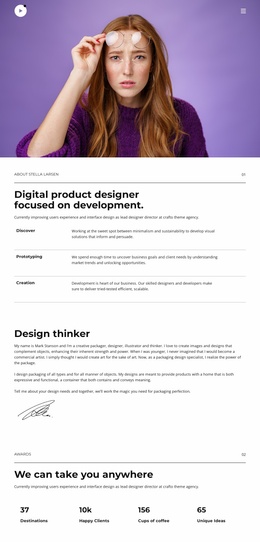
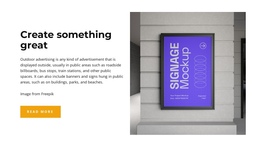
The “Design thinker” heading gives this block a clear identity within a continuous page. It introduces one information destination centered on a creative professional and packaging design, while the paragraphs provide the explanation that distinguishes it from neighboring content. The single left-aligned column keeps the material together as one readable section, and the signature-style image beneath the copy creates a visual ending that helps visitors recognize where this destination concludes.
In a One Page Template context, the section can sit between other content areas that describe work, services, projects, or contact options. Its role is informational rather than dependent on a direct conversion action: the copy establishes personal perspective and design context, while the invitation about design needs can lead visitors toward a later response point. The block does not need to become a separate page to carry that meaning.
The white background, black heading, and compact black text also help distinguish this destination from adjacent sections when the wider page uses several visual treatments. The monochrome signature adds a personal marker without introducing a new content category. If the completed page uses section-based navigation, Nicepage’s Menu For One-Page Site can connect visitors to meaningful destinations, but the block itself remains one static about section within the continuous page journey.
Customize with Nicepage
Open this ready-made template in the One Page Template Builder and customize it visually in the Nicepage editor. Replace demo content, edit page sections, and adapt the design to your project without rebuilding the template from scratch.
Edit Template Offline
2. Create a new page or select existing
3. Click Add new block, search for id 6187328 and click enter
Edit Template Online
Create Awesome Websites


Free Nicepage Builder
Keywords
Use This Block as a Section in a One-Page Website
Give the Block a Distinct Content Role
A one-page website combines several meaningful content sections within one continuous document. A block can serve as one of those destinations—for example About, Services, Gallery, Testimonials, Pricing, Team, or Contact—while other blocks provide the rest of the page journey.
Connect Navigation to Meaningful Sections
When the final page uses section-based navigation, Menu For One-Page Site can connect menu items to individual page Blocks. The analyzed block does not prove that anchor navigation already exists; it simply provides one possible destination when its content is substantial enough to stand as a recognizable section.
Keep Longer Pages Easy to Explore
For long one-page sites, Back To Top can help visitors return to the beginning after moving through several sections. Navigation behavior is managed at the page level, while each block retains its own content function.
This workflow positions the block as one part of a continuous one-page experience rather than treating a single section as the entire one-page site.