Fair & equal pay One Page Template


The Heading and Photograph Create a Distinct About Destination
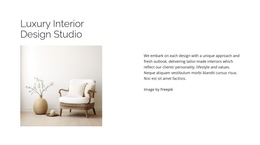
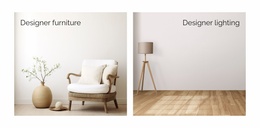
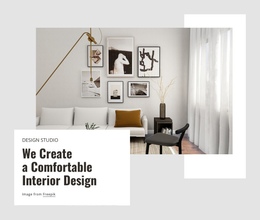
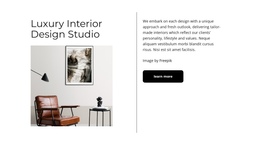
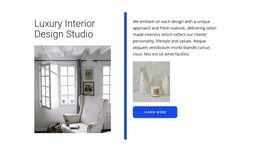
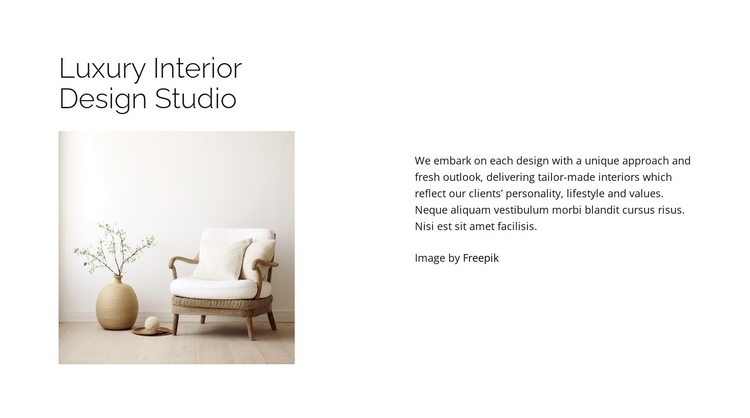
The left side gives this section a clear identity: “Luxury Interior Design Studio” appears above a single photograph of a light room with an armchair, plant, vase, and neutral flooring. The right side then develops the meaning of that visual introduction through paragraphs about unique approaches, fresh outlooks, tailor-made interiors, and interiors shaped around a client’s personality, lifestyle, and values. Because the heading, image, and explanation are grouped within one split composition, visitors can recognize the section as a complete information destination within a longer page flow.
In a one-page layout, this block can sit after an opening presentation and before more specific areas such as services, project examples, or contact information. Its purpose is not to provide every part of that experience, but to give the continuous page a defined studio-introduction stage. The vertically centered copy creates a measured pause beside the image, while the white background and generous spacing separate this destination from adjacent sections.
The visible Freepik attribution should remain attached to the image area as the block is adapted. If the wider page uses section-based navigation, this content can serve as one recognizable destination when the surrounding page provides that navigation. Nicepage’s Menu For One-Page Site can support such a broader page structure, while the block retains its own about function.
Customize with Nicepage
Open this ready-made template in the One Page Template Builder and customize it visually in the Nicepage editor. Replace demo content, edit page sections, and adapt the design to your project without rebuilding the template from scratch.
Edit Template Offline
2. Create a new page or select existing
3. Click Add new block, search for id 6182784 and click enter
Edit Template Online
Create Awesome Websites


Free Nicepage Builder
Keywords
Build a Navigable One-Page Website
Connect the Menu to Page Sections
Organize the website as a sequence of sections on a single page and use the Menu For One-Page Site to connect menu items with individual page Blocks. Visitors can jump directly to sections such as About, Services, Testimonials, or Contact without opening separate pages.
Keep the Website on One URL
A one-page template can combine several parts of a small website within one continuous page. Arrange the Header, introduction, services, portfolio, company information, reviews, contact details, and other relevant sections in the order that fits the project while keeping them accessible through the same page navigation.
Make Long Pages Easier to Navigate
For longer one-page websites, keep navigation labels short and connected to meaningful sections so visitors can move through the page without relying only on scrolling. You can also use the Back To Top element to provide a quick way back to the beginning after longer sections.
This workflow makes the template suitable for compact websites that need several distinct content sections while keeping the complete visitor experience on one URL.