Mobile phone repair One Page Template


A Distinct Service Destination in Continuous Page Flow
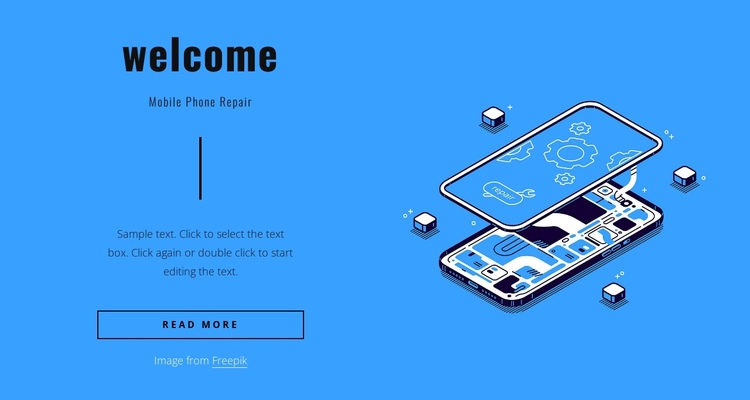
The section has a clear identity that can help visitors recognize a mobile phone repair destination within a continuous page. The “welcome” heading opens the content, and the “Mobile Phone Repair” subtitle names the subject before the divider and supporting paragraph add a short explanation. The “read more” button provides a route toward related detail, but the block can still function as a meaningful information stop when placed between neighboring sections.
Its visual identity also supports section recognition. The bright blue full-width background creates a strong break in the page rhythm, while the dark type and outlined button preserve a restrained text hierarchy. On the right, the single flat phone-repair illustration gives the section an immediate visual marker that differs from text-only destinations. The centered text and image columns maintain a balanced silhouette as visitors move through the page.
Within a one-page sequence, this block can sit after an opening statement or before more detailed repair information and contact content. The arrangement contributes one focused content destination rather than carrying every page function. Its static behavior keeps the section easy to scan, and the visible button can connect the service introduction to a later destination without requiring an assumed anchor-navigation structure.
Customize with Nicepage
Open this ready-made template in the One Page Template Builder and customize it visually in the Nicepage editor. Replace demo content, edit page sections, and adapt the design to your project without rebuilding the template from scratch.
Edit Template Offline
2. Create a new page or select existing
3. Click Add new block, search for id 373204 and click enter
Edit Template Online
Create Awesome Websites


Free Nicepage Builder
Keywords
Build a Navigable One-Page Website
Connect the Menu to Page Sections
Organize the website as a sequence of sections on a single page and use the Menu For One-Page Site to connect menu items with individual page Blocks. Visitors can jump directly to sections such as About, Services, Testimonials, or Contact without opening separate pages.
Keep the Website on One URL
A one-page template can combine several parts of a small website within one continuous page. Arrange the Header, introduction, services, portfolio, company information, reviews, contact details, and other relevant sections in the order that fits the project while keeping them accessible through the same page navigation.
Make Long Pages Easier to Navigate
For longer one-page websites, keep navigation labels short and connected to meaningful sections so visitors can move through the page without relying only on scrolling. You can also use the Back To Top element to provide a quick way back to the beginning after longer sections.
This workflow makes the template suitable for compact websites that need several distinct content sections while keeping the complete visitor experience on one URL.