Top management Landing Page


Edit Template Offline
2. Create new page and search for id 4490963
Edit Template Online
Create Awesome Websites


Free Nicepage Builder
Keywords
Agent proof moves the visitor toward email and direct contact
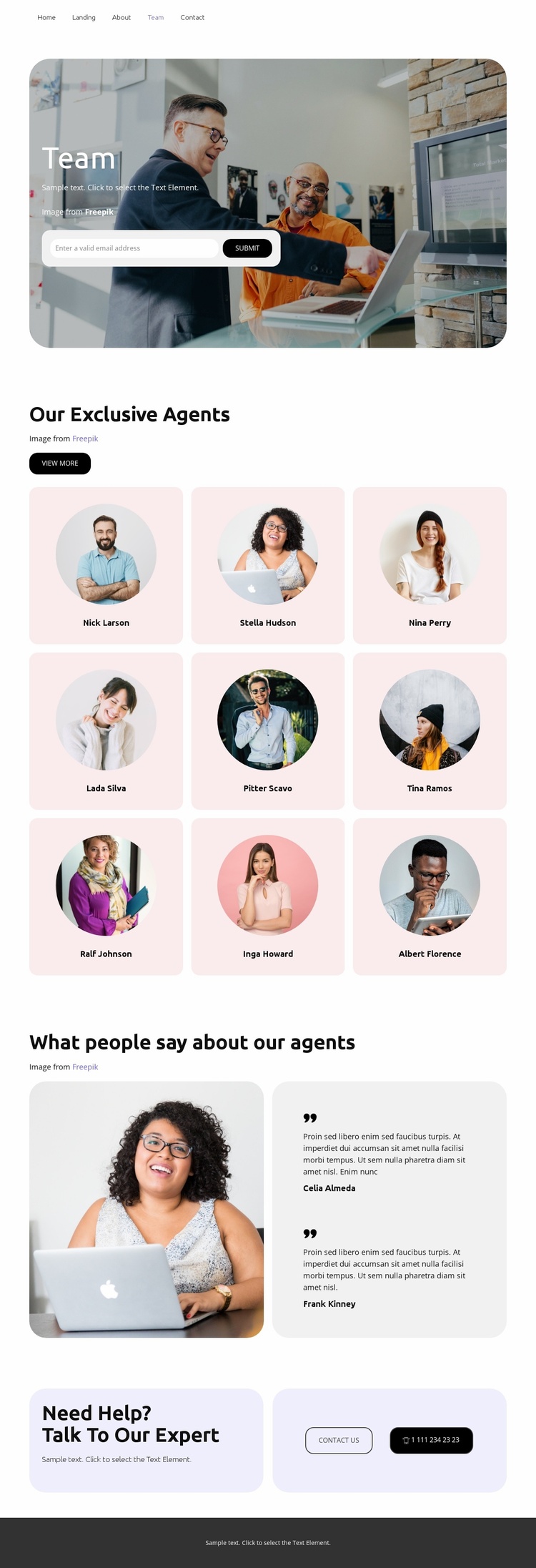
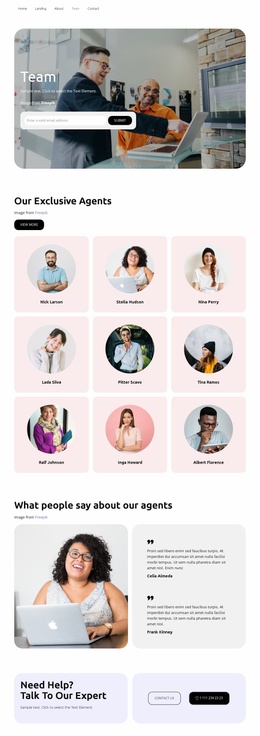
The opening hero places the page purpose and an email capture form together, so the first response opportunity is connected directly to the team introduction rather than isolated from it. The nine agent cards then provide the main substance of the page. Their repeated portrait-and-name format lets visitors understand the breadth of the team quickly, while the “view more” action can support further interest without replacing the central inquiry direction.
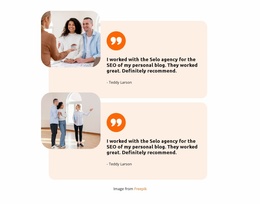
The testimonial area follows that profile collection with two entries beside a prominent photograph. In a response-focused sequence, this creates a transition from who the agents are to what people say about them, adding contextual reassurance before the closing action. The final help panel makes the strongest response point explicit through “Contact us” and a telephone action, giving visitors two visible ways to continue after reviewing the team. The page therefore has a measurable path from introduction, through people and supporting proof, to inquiry. The existing elements do not establish a particular submission service or guarantee a specific campaign result; they establish the content relationships that can support one primary contact objective. The form and contact actions should remain visually prominent if this design is used as a landing page, while secondary profile exploration stays subordinate to the inquiry path.
Customize with Nicepage
Open this ready-made template in the Landing Page Builder and customize it visually in the Nicepage editor. Replace demo content, edit page sections, and adapt the design to your project without rebuilding the template from scratch.
Build a Landing Page Around One Conversion Goal
Focus on One Primary Action
Use the landing page to guide visitors toward one measurable response, such as requesting a quote, registering, subscribing, booking a consultation, applying for a service, or submitting an inquiry. Keep the primary call-to-action consistent across the important sections so the headline, supporting content, form, and CTA buttons work toward the same campaign goal instead of competing for attention.
Capture Leads With a Form
Use the Contact Form Element to add a contact, subscription, application, or other conversion form directly to the landing page. Customize the form fields, layout, labels, inputs, and button to collect the information required for your campaign while keeping the form focused on the action you want visitors to complete.
Nicepage also provides several form submission options. Form submissions can be sent to Email, stored as Leads, added to Google Sheets, passed to a custom URL or server endpoint, or used to populate a MailChimp mailing list. This provides practical options for collecting inquiries, registrations, subscriptions, applications, and other campaign responses.
Manage Leads and Campaign Responses
When submissions are stored as Leads, you can use Contact Form Leads to review the information collected through the landing page and use it for follow-up. Keep the form connected to the same offer and primary CTA presented throughout the page so visitors move from the campaign message to a clear conversion action.
This workflow makes the template suitable for landing pages where the offer, content, call-to-action, form, and lead collection process work together toward one defined conversion goal.

Design Set (12)
-

-
-
-
-
Free Website Builder SoftwareDownload
-
-


More from Real Estate Landing Pages
-
Free Website Builder SoftwareDownload