Quick Internet setup Joomla Template


Four structured benefits for a managed service section
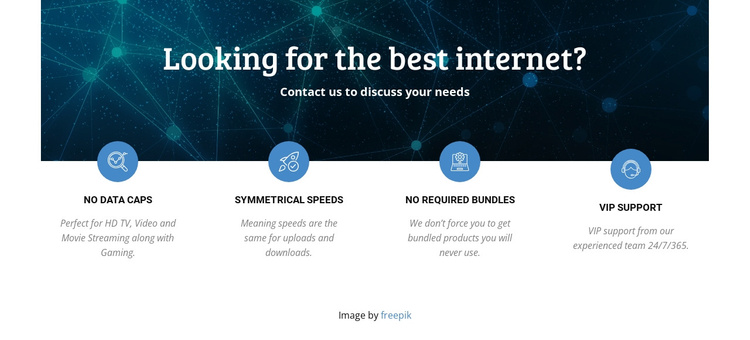
The four labeled items create a stable information region that can fit naturally into a Joomla-managed page. Rather than relying on a long block of uninterrupted copy, the section separates the internet service proposition into recognizable content units: No Data Caps, Symmetrical Speeds, No Required Bundles, and VIP Support. Each label is paired with supporting text, so a reader can scan the available benefits and then read the explanation that follows.
The centered heading and paragraph establish the subject before the feature row begins. Above them, the dark blue network image supplies a technology-focused visual context, while white text maintains contrast in the upper area. The repeated circular icons give the four items a shared visual marker, and the even spacing makes each benefit feel like part of the same service category. In a Joomla-oriented project, this section could remain a reusable content area for structured internet service information while the wider site manages additional pages and editorial material. The line inviting visitors to contact the provider can act as a transition toward a separate contact region, without turning this section into the entire CMS page or implying that Joomla-specific articles, modules, or categories are already inside it.
Customize with Nicepage
Open this ready-made template in the Joomla Page Builder and customize it visually in the Nicepage editor. Replace demo content, edit page sections, and adapt the design to your project without rebuilding the template from scratch.
Edit Template Offline
2. Create a new page or select existing
3. Click Add new block, search for id 69269 and click enter
Edit Template Online
Create Awesome Websites


Free Nicepage Builder
Keywords
Work With This Template in Joomla
Customize and Install the Joomla Template
Start with this ready-made template instead of building the Joomla design from scratch. Customize its layout, content, typography, images, sections, and other design elements visually in the Nicepage application, then export and install the Joomla Template, Nicepage Extension, and supported content on your Joomla website.
Edit the Template Directly in Joomla
After installation, you can edit the Joomla Template directly in Joomla with the Nicepage Joomla Extension. Customize the Header, Footer, Colors, Fonts, typography, and Page Templates from the Joomla workflow while keeping the site design connected with your CMS content.
Edit Joomla Articles Visually
Use the Nicepage Joomla Extension to open and edit Joomla Articles visually from the Joomla Administrator. Change text, images, sections, layouts, and other page content in the Nicepage editor while continuing to manage the Articles through Joomla.
Joomla Content and Template Integration
Use the customized template together with Joomla Articles, module Positions, menus, forms, Blog Pages, and other supported CMS elements. With the Nicepage Extension used as the Site Style Source, shared design settings can be applied across Joomla Articles while Joomla continues to provide the CMS environment for managing site content.
This workflow combines a ready-made Joomla Template with visual customization, direct template editing in Joomla, and continued content management through the Nicepage Joomla Extension.