What customers say Joomla Template



The Three-Part Testimonial Creates a Structured Joomla Content Region
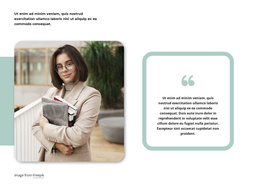
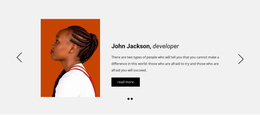
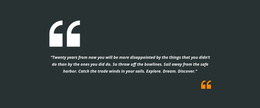
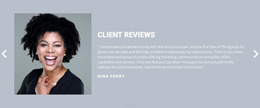
The left heading, central portrait, and right-hand endorsement form three clearly separated content areas inside the block. “What People Say” announces the testimonial purpose, the tall portrait gives the endorsement a personal point of reference, and the quote explains the relationship between business coaches, entrepreneurs, business owners, and their goals. The signature image beneath the text provides a visual ending to that individual statement. Together, these elements make the section read as one complete testimonial unit while preserving a simple static interaction model.
In a Joomla-managed project, this arrangement can function as a reusable content region for a page that needs personal perspective or professional trust. The section does not need to carry the wider site structure; neighboring content can handle services, background information, case studies, or contact details. Its role is narrower and more useful: keep the endorsement visually grouped so the heading, portrait, quote, and signature are understood as parts of the same message. The white background and high-contrast black type can also help distinguish this region from adjacent Joomla-managed content without changing its internal organization. The three-column flow remains easy to recognize because each area has a defined responsibility and stable horizontal relationship.
Customize with Nicepage
Open this ready-made template in the Joomla Page Builder and customize it visually in the Nicepage editor. Replace demo content, edit page sections, and adapt the design to your project without rebuilding the template from scratch.
Edit Template Offline
2. Create a new page or select existing
3. Click Add new block, search for id 66439 and click enter
Edit Template Online
Create Awesome Websites


Free Nicepage Builder
Keywords
Work With This Template in Joomla
Customize and Install the Joomla Template
Start with this ready-made template instead of building the Joomla design from scratch. Customize its layout, content, typography, images, sections, and other design elements visually in the Nicepage application, then export and install the Joomla Template, Nicepage Extension, and supported content on your Joomla website.
Edit the Template Directly in Joomla
After installation, you can edit the Joomla Template directly in Joomla with the Nicepage Joomla Extension. Customize the Header, Footer, Colors, Fonts, typography, and Page Templates from the Joomla workflow while keeping the site design connected with your CMS content.
Edit Joomla Articles Visually
Use the Nicepage Joomla Extension to open and edit Joomla Articles visually from the Joomla Administrator. Change text, images, sections, layouts, and other page content in the Nicepage editor while continuing to manage the Articles through Joomla.
Joomla Content and Template Integration
Use the customized template together with Joomla Articles, module Positions, menus, forms, Blog Pages, and other supported CMS elements. With the Nicepage Extension used as the Site Style Source, shared design settings can be applied across Joomla Articles while Joomla continues to provide the CMS environment for managing site content.
This workflow combines a ready-made Joomla Template with visual customization, direct template editing in Joomla, and continued content management through the Nicepage Joomla Extension.