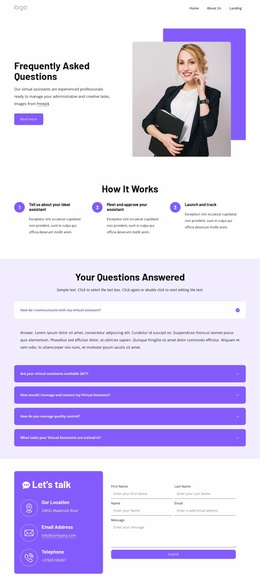
Personalized virtual support Joomla Template


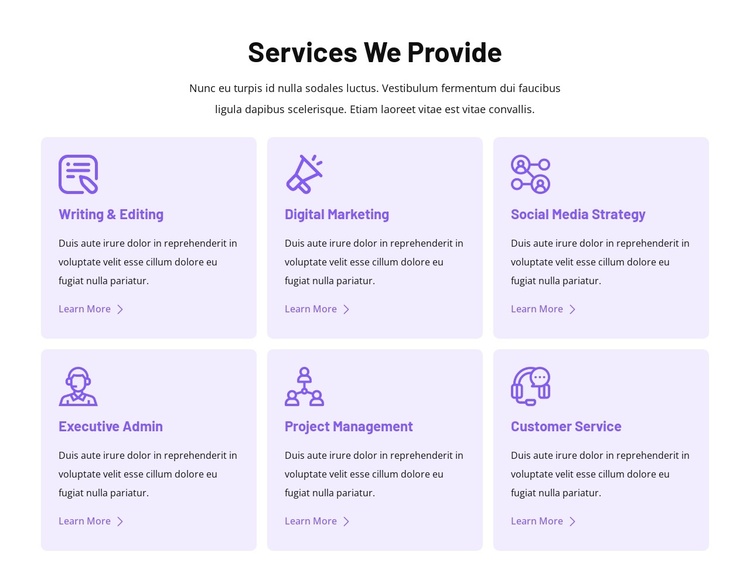
The Service Grid Creates Clear Structured Content Units
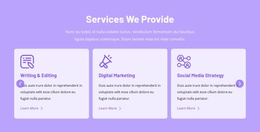
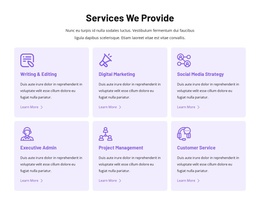
“Services We Provide” introduces a defined information area, followed by six individual service units: Writing & Editing, Digital Marketing, Social Media Strategy, Executive Admin, Project Management, and Customer Service. Each unit has the same content relationship between icon, title, description, and Learn More link. This consistency allows the offerings to remain separate while still reading as one organized service collection. The centered introduction provides context, and the card grid carries the detailed information below it.
Within a Joomla-managed page or site, this structure can function as a stable content region for service information. The block does not need to represent the entire site; it can sit alongside other managed content while preserving its own visual and editorial role. The three-column, two-row layout is especially useful when related offerings need equal prominence instead of a single long sequence of text. Each card gives a visitor a recognizable point of entry for exploring a service.
The visual treatment reinforces the content structure. Pale lavender rounded cards distinguish the six units from the white background, while purple icons and titles create a shared accent system. Left-aligned card content supports quick comparison, and generous internal spacing prevents the descriptions and links from merging together. In a Joomla-oriented project, this makes the section suitable for presenting structured service information within a broader CMS-managed page.
Customize with Nicepage
Open this ready-made template in the Joomla Page Builder and customize it visually in the Nicepage editor. Replace demo content, edit page sections, and adapt the design to your project without rebuilding the template from scratch.
Edit Template Offline
2. Create a new page or select existing
3. Click Add new block, search for id 6351655 and click enter
Edit Template Online
Create Awesome Websites


Free Nicepage Builder
Keywords
Work With This Template in Joomla
Customize and Install the Joomla Template
Start with this ready-made template instead of building the Joomla design from scratch. Customize its layout, content, typography, images, sections, and other design elements visually in the Nicepage application, then export and install the Joomla Template, Nicepage Extension, and supported content on your Joomla website.
Edit the Template Directly in Joomla
After installation, you can edit the Joomla Template directly in Joomla with the Nicepage Joomla Extension. Customize the Header, Footer, Colors, Fonts, typography, and Page Templates from the Joomla workflow while keeping the site design connected with your CMS content.
Edit Joomla Articles Visually
Use the Nicepage Joomla Extension to open and edit Joomla Articles visually from the Joomla Administrator. Change text, images, sections, layouts, and other page content in the Nicepage editor while continuing to manage the Articles through Joomla.
Joomla Content and Template Integration
Use the customized template together with Joomla Articles, module Positions, menus, forms, Blog Pages, and other supported CMS elements. With the Nicepage Extension used as the Site Style Source, shared design settings can be applied across Joomla Articles while Joomla continues to provide the CMS environment for managing site content.
This workflow combines a ready-made Joomla Template with visual customization, direct template editing in Joomla, and continued content management through the Nicepage Joomla Extension.