Design is part of business Joomla Template



Edit Template Offline
2. Create new page and search for id 6231828
Edit Template Online
Create Awesome Websites


Free Nicepage Builder
Keywords
Flexible Distance Learning Creates Structured Joomla Content Regions
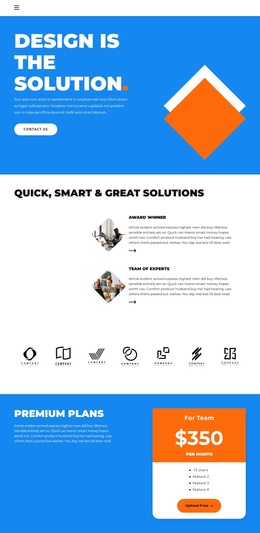
The page divides its education message into distinct regions that can be understood and maintained as organized site content. The opening blue hero introduces the central proposition and places a contact action near the first impression. Two compact feature rows then describe organizational strengths, followed by a horizontal strip of six monochrome brand marks. This sequence creates clear boundaries between introduction, supporting context, and the commercial section.
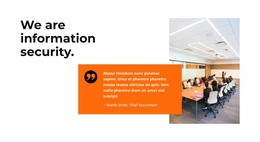
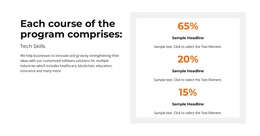
The Premium Plans area gives the Team offer its own region, with the displayed $350 per month price and upgrade action separated from the surrounding information. The Flexible Distance Learning block provides another substantial content area: twelve numbered program listings make the training offer more structured than a single paragraph. The two diamond-shaped portraits and the 73% statistic add supporting regions, while the quotation block supplies a separate testimonial-style content area.
At the bottom, the final contact prompt, direct telephone information, orange contact bar, and dark footer establish reusable closing regions for a CMS-managed site. This organization suits a Joomla project that needs navigation between education content, plan information, program details, and contact areas. The layout can retain its visual identity while the text and recurring information are maintained as separate site sections.
Customize with Nicepage
Open this ready-made template in the Joomla Page Builder and customize it visually in the Nicepage editor. Replace demo content, edit page sections, and adapt the design to your project without rebuilding the template from scratch.
Work With This Template in Joomla
Customize and Install the Joomla Template
Start with this ready-made template instead of building the Joomla design from scratch. Customize its layout, content, typography, images, sections, and other design elements visually in the Nicepage application, then export and install the Joomla Template, Nicepage Extension, and supported content on your Joomla website.
Edit the Template Directly in Joomla
After installation, you can edit the Joomla Template directly in Joomla with the Nicepage Joomla Extension. Customize the Header, Footer, Colors, Fonts, typography, and Page Templates from the Joomla workflow while keeping the site design connected with your CMS content.
Edit Joomla Articles Visually
Use the Nicepage Joomla Extension to open and edit Joomla Articles visually from the Joomla Administrator. Change text, images, sections, layouts, and other page content in the Nicepage editor while continuing to manage the Articles through Joomla.
Joomla Content and Template Integration
Use the customized template together with Joomla Articles, module Positions, menus, forms, Blog Pages, and other supported CMS elements. With the Nicepage Extension used as the Site Style Source, shared design settings can be applied across Joomla Articles while Joomla continues to provide the CMS environment for managing site content.
This workflow combines a ready-made Joomla Template with visual customization, direct template editing in Joomla, and continued content management through the Nicepage Joomla Extension.