Creating a spirit of learning Joomla Template



Edit Template Offline
2. Create new page and search for id 5512682
Edit Template Online
Create Awesome Websites


Free Nicepage Builder
Keywords
Company Regions, Advantages, and Contact Areas Suit Managed Joomla Content
The page divides its company story into distinct information areas that can be organized as managed site content. The About Us introduction establishes the organization’s profile, while the centered learning-philosophy section gives the page a clear editorial subject. The practical-skills feature and the awards and recognition callout then create separate regions for capabilities and credibility rather than blending every message into one block.
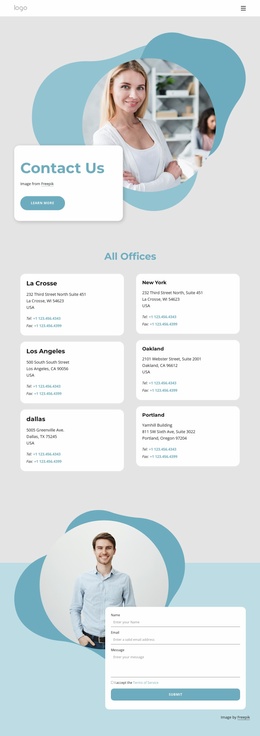
The two-card Competitive Advantages section is especially useful for structured recurring content: Durability and Efficiency are presented as peer items with their own descriptions and links. A separate slider groups five labeled differentiators—One-stop-shop, Flexibility & pace, Humanizing work, Geographic reach, and Our people—so the page can distinguish broad company qualities from individual advantage items. The facts section adds another reusable content region, combining a circular image with headquarters information for the UK, US, and Germany and other company claims that should be replaced or verified for the final organization. Near the end, the contact area provides fields for name, email, message, and terms acceptance. This division between navigation, informational regions, repeated items, and inquiry content gives a Joomla project a practical content hierarchy while preserving the design’s shared visual treatment.
Customize with Nicepage
Open this ready-made template in the Joomla Page Builder and customize it visually in the Nicepage editor. Replace demo content, edit page sections, and adapt the design to your project without rebuilding the template from scratch.
Work With This Template in Joomla
Customize and Install the Joomla Template
Start with this ready-made template instead of building the Joomla design from scratch. Customize its layout, content, typography, images, sections, and other design elements visually in the Nicepage application, then export and install the Joomla Template, Nicepage Extension, and supported content on your Joomla website.
Edit the Template Directly in Joomla
After installation, you can edit the Joomla Template directly in Joomla with the Nicepage Joomla Extension. Customize the Header, Footer, Colors, Fonts, typography, and Page Templates from the Joomla workflow while keeping the site design connected with your CMS content.
Edit Joomla Articles Visually
Use the Nicepage Joomla Extension to open and edit Joomla Articles visually from the Joomla Administrator. Change text, images, sections, layouts, and other page content in the Nicepage editor while continuing to manage the Articles through Joomla.
Joomla Content and Template Integration
Use the customized template together with Joomla Articles, module Positions, menus, forms, Blog Pages, and other supported CMS elements. With the Nicepage Extension used as the Site Style Source, shared design settings can be applied across Joomla Articles while Joomla continues to provide the CMS environment for managing site content.
This workflow combines a ready-made Joomla Template with visual customization, direct template editing in Joomla, and continued content management through the Nicepage Joomla Extension.