Text with shape Joomla Template



A centered culture statement for structured Joomla content
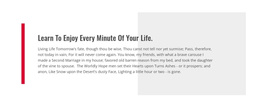
The “Our Culture” label establishes a clear informational region before the longer statement begins. Because the block contains one continuous message rather than a list of separate items, its meaning depends on reading the text as a complete expression of company culture. Attention to detail, excellence of workmanship, and a willingness to do things differently are presented together, followed by the claim that these values apply to projects of every size or scope.
The centered arrangement keeps the statement independent from more complex content areas that may surround it in a Joomla-managed page. A bright lime background gives the section a strong field of color, while dark charcoal typography maintains contrast for the main message. The muted accent color applied to part of the statement creates an internal emphasis point without splitting the content into separate components. Generous spacing protects the long text from feeling crowded, and the circular decorative accent below acts as a visual finish rather than an additional information object.
Within a Joomla content structure, this block can serve as a stable culture or values region alongside other editorial sections. The surrounding project can manage broader articles and page content, while this focused statement retains its own visual and informational role.
Customize with Nicepage
Open this ready-made template in the Joomla Page Builder and customize it visually in the Nicepage editor. Replace demo content, edit page sections, and adapt the design to your project without rebuilding the template from scratch.
Edit Template Offline
2. Create a new page or select existing
3. Click Add new block, search for id 499808 and click enter
Edit Template Online
Create Awesome Websites


Free Nicepage Builder
Keywords
Work With This Template in Joomla
Customize and Install the Joomla Template
Start with this ready-made template instead of building the Joomla design from scratch. Customize its layout, content, typography, images, sections, and other design elements visually in the Nicepage application, then export and install the Joomla Template, Nicepage Extension, and supported content on your Joomla website.
Edit the Template Directly in Joomla
After installation, you can edit the Joomla Template directly in Joomla with the Nicepage Joomla Extension. Customize the Header, Footer, Colors, Fonts, typography, and Page Templates from the Joomla workflow while keeping the site design connected with your CMS content.
Edit Joomla Articles Visually
Use the Nicepage Joomla Extension to open and edit Joomla Articles visually from the Joomla Administrator. Change text, images, sections, layouts, and other page content in the Nicepage editor while continuing to manage the Articles through Joomla.
Joomla Content and Template Integration
Use the customized template together with Joomla Articles, module Positions, menus, forms, Blog Pages, and other supported CMS elements. With the Nicepage Extension used as the Site Style Source, shared design settings can be applied across Joomla Articles while Joomla continues to provide the CMS environment for managing site content.
This workflow combines a ready-made Joomla Template with visual customization, direct template editing in Joomla, and continued content management through the Nicepage Joomla Extension.