Headline and two columns Joomla Template


Structured Social-Value Content for a Joomla Page Region
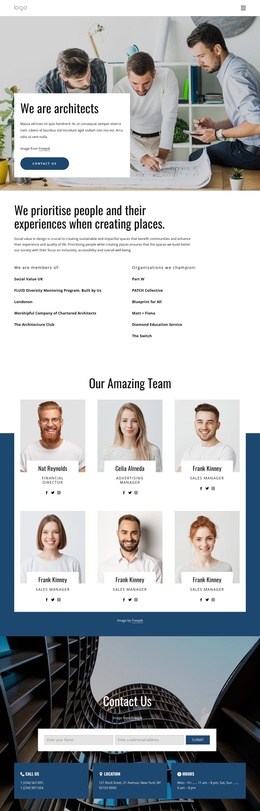
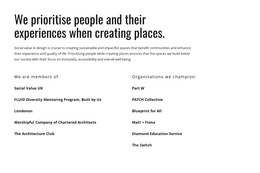
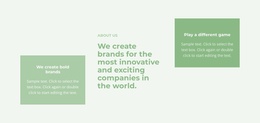
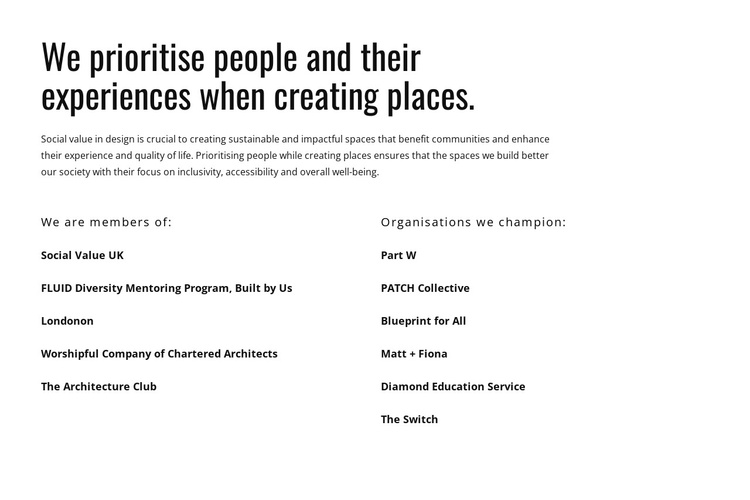
The block’s content is naturally divided into an explanatory area and a structured affiliation area. The heading introduces a people-focused approach to creating places, and the paragraph gives that approach substance by referring to inclusivity, accessibility, community benefit, and well-being. Below, the two-column arrangement turns that principle into specific organisational relationships.
The first labeled group, “We are members of:”, contains five named organisations or programmes, including Social Value UK and the Worshipful Company of Chartered Architects. The second, “Organisations we champion:”, contains six entries, including Blueprint for All. Their parallel placement gives the section a stable information pattern that can remain recognizable when used as one content region in a Joomla-managed page. The labels provide the primary classification; the names supply the supporting detail.
In a Joomla-oriented project, this block can serve as a reusable informational section alongside broader editorial content and page structure. Its role is not to define Joomla menus, modules, or the whole site, but to present a concise values-and-affiliations message within a managed page. The static layout also makes the section suitable for content that should remain easy to scan while related articles or site regions are maintained separately.
Customize with Nicepage
Open this ready-made template in the Joomla Page Builder and customize it visually in the Nicepage editor. Replace demo content, edit page sections, and adapt the design to your project without rebuilding the template from scratch.
Edit Template Offline
2. Create a new page or select existing
3. Click Add new block, search for id 4459536 and click enter
Edit Template Online
Create Awesome Websites


Free Nicepage Builder
Keywords
Work With This Template in Joomla
Customize and Install the Joomla Template
Start with this ready-made template instead of building the Joomla design from scratch. Customize its layout, content, typography, images, sections, and other design elements visually in the Nicepage application, then export and install the Joomla Template, Nicepage Extension, and supported content on your Joomla website.
Edit the Template Directly in Joomla
After installation, you can edit the Joomla Template directly in Joomla with the Nicepage Joomla Extension. Customize the Header, Footer, Colors, Fonts, typography, and Page Templates from the Joomla workflow while keeping the site design connected with your CMS content.
Edit Joomla Articles Visually
Use the Nicepage Joomla Extension to open and edit Joomla Articles visually from the Joomla Administrator. Change text, images, sections, layouts, and other page content in the Nicepage editor while continuing to manage the Articles through Joomla.
Joomla Content and Template Integration
Use the customized template together with Joomla Articles, module Positions, menus, forms, Blog Pages, and other supported CMS elements. With the Nicepage Extension used as the Site Style Source, shared design settings can be applied across Joomla Articles while Joomla continues to provide the CMS environment for managing site content.
This workflow combines a ready-made Joomla Template with visual customization, direct template editing in Joomla, and continued content management through the Nicepage Joomla Extension.