About Travel Joomla Template



Repeated Counters Create a Structured Joomla Content Area
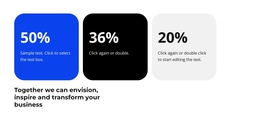
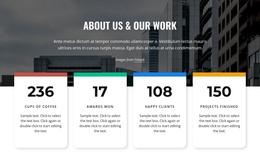
The four counter items divide the section into clear, parallel information units. Each unit combines a numeric display with a descriptive label and its own horizontal divider, creating a consistent content model that can represent several categories within one Joomla-managed page section. The visible examples refer to Satisfied Customers, Completed Projects, Signed Contracts, and Likes in Social Media. They are presented as sample labels and values, so the surrounding project can replace them with its own approved information while preserving the same structure.
The row's horizontal organization makes comparison immediate: the four positions share centered typography, spacing, and alignment instead of behaving like unrelated text blocks. Behind them, a full-width office photograph supplies context, while the dark overlay separates the image from the bright yellow figures and white labels. The static presentation keeps the content available at a glance without requiring tabs, sliders, or expandable panels.
Within a Joomla-oriented project, this block can act as a stable structured information region in an article-like page or another managed content area. It can summarize selected results between explanatory sections while the wider site handles navigation and additional editorial content. The section remains one visual/content unit; Joomla provides the surrounding CMS context without changing the block into a standalone Joomla template or complete site.
Customize with Nicepage
Open this ready-made template in the Joomla Page Builder and customize it visually in the Nicepage editor. Replace demo content, edit page sections, and adapt the design to your project without rebuilding the template from scratch.
Edit Template Offline
2. Create a new page or select existing
3. Click Add new block, search for id 42323 and click enter
Edit Template Online
Create Awesome Websites


Free Nicepage Builder
Keywords
Work With This Template in Joomla
Customize and Install the Joomla Template
Start with this ready-made template instead of building the Joomla design from scratch. Customize its layout, content, typography, images, sections, and other design elements visually in the Nicepage application, then export and install the Joomla Template, Nicepage Extension, and supported content on your Joomla website.
Edit the Template Directly in Joomla
After installation, you can edit the Joomla Template directly in Joomla with the Nicepage Joomla Extension. Customize the Header, Footer, Colors, Fonts, typography, and Page Templates from the Joomla workflow while keeping the site design connected with your CMS content.
Edit Joomla Articles Visually
Use the Nicepage Joomla Extension to open and edit Joomla Articles visually from the Joomla Administrator. Change text, images, sections, layouts, and other page content in the Nicepage editor while continuing to manage the Articles through Joomla.
Joomla Content and Template Integration
Use the customized template together with Joomla Articles, module Positions, menus, forms, Blog Pages, and other supported CMS elements. With the Nicepage Extension used as the Site Style Source, shared design settings can be applied across Joomla Articles while Joomla continues to provide the CMS environment for managing site content.
This workflow combines a ready-made Joomla Template with visual customization, direct template editing in Joomla, and continued content management through the Nicepage Joomla Extension.