Rational offer Joomla Template



Edit Template Offline
2. Create new page and search for id 3462409
Edit Template Online
Create Awesome Websites


Free Nicepage Builder
Keywords
Six service regions give the financial design a Joomla-ready content shape
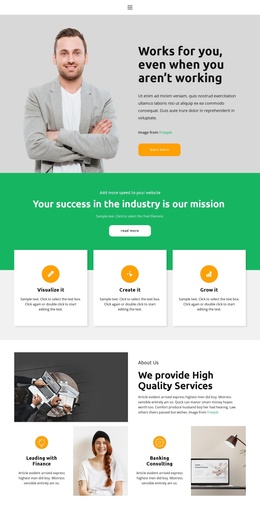
The six labeled service cards—Investment, Finance, Risk Management, Audit & Accounting, Marketing, and Experience—divide the main advisory message into clear informational regions. That separation is useful for a Joomla project because structured service content can be maintained as distinct site material while retaining a common visual direction. The introductory capability section adds another layer of organization through four checkmarked highlights, giving the page a place for broader advice before visitors reach specific services.
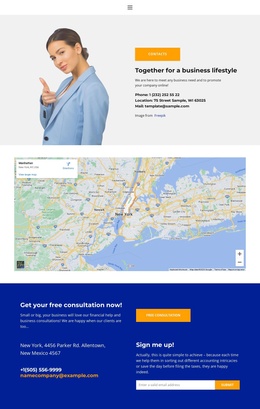
The office gallery, Business pricing card, testimonial group, and team profiles extend the content beyond a simple service list. They create separate regions for workplace context, a displayed package, social proof, and people-focused information. The contact section then brings those areas together with consultation wording, contact details, and an email signup form. In Joomla, this arrangement can support a site where menus and managed content point visitors toward recurring service, team, and contact regions without treating the sample names, address, price, or testimonial statements as verified business facts. The shared blue and orange bands also help keep those content areas recognizable when the design is adapted for structured Joomla pages.
Customize with Nicepage
Open this ready-made template in the Joomla Page Builder and customize it visually in the Nicepage editor. Replace demo content, edit page sections, and adapt the design to your project without rebuilding the template from scratch.
Work With This Template in Joomla
Customize and Install the Joomla Template
Start with this ready-made template instead of building the Joomla design from scratch. Customize its layout, content, typography, images, sections, and other design elements visually in the Nicepage application, then export and install the Joomla Template, Nicepage Extension, and supported content on your Joomla website.
Edit the Template Directly in Joomla
After installation, you can edit the Joomla Template directly in Joomla with the Nicepage Joomla Extension. Customize the Header, Footer, Colors, Fonts, typography, and Page Templates from the Joomla workflow while keeping the site design connected with your CMS content.
Edit Joomla Articles Visually
Use the Nicepage Joomla Extension to open and edit Joomla Articles visually from the Joomla Administrator. Change text, images, sections, layouts, and other page content in the Nicepage editor while continuing to manage the Articles through Joomla.
Joomla Content and Template Integration
Use the customized template together with Joomla Articles, module Positions, menus, forms, Blog Pages, and other supported CMS elements. With the Nicepage Extension used as the Site Style Source, shared design settings can be applied across Joomla Articles while Joomla continues to provide the CMS environment for managing site content.
This workflow combines a ready-made Joomla Template with visual customization, direct template editing in Joomla, and continued content management through the Nicepage Joomla Extension.